

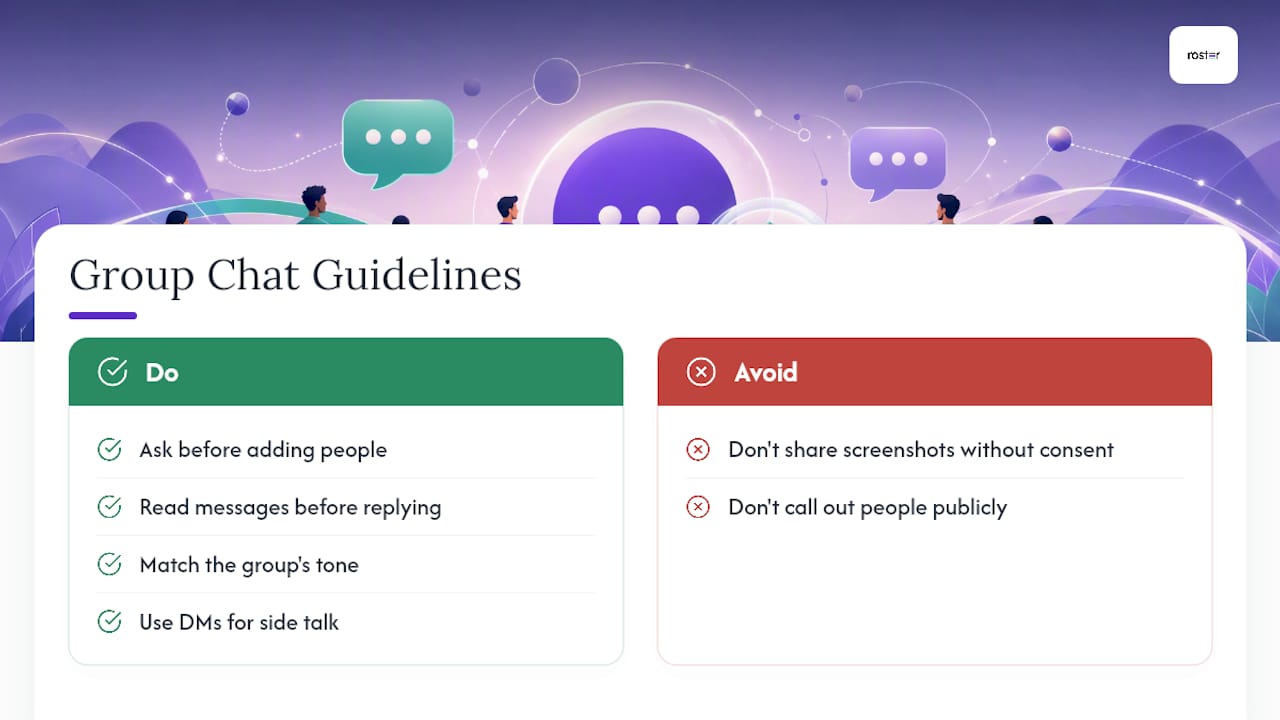
A short set of group chat guidelines keeps conversations respectful and saves everyone time. The top six: ask permission before adding anyone, read what's already been said before you jump in, match the group's tone, never screenshot without consent, take one-on-one talk to DMs, and know when a thread needs a phone call instead of forty more texts.
- Ask before adding new members
- Catch up before you reply
- Match the tone and keep it short
- No screenshots without consent
- Side conversations belong in DMs
- Move it offline when it drags on
Pro Tip: If a group is wearing you down, mute it quietly first. A dramatic exit almost always causes more disruption than the problem you're leaving behind.
Key Takeaways
Clear group chat guidelines work because they replace guesswork with shared, explicit expectations everyone can follow.
| Point | Details |
|---|---|
| Ask before adding | Always get the group's and the new member's okay before expanding a chat. |
| Read before replying | Catch up on recent messages before asking questions that have already been answered. |
| Respect privacy | Never screenshot or forward messages without direct consent from the sender. |
| Exit quietly | Mute without announcement for casual groups; notify the admin privately for formal ones. |
| Automate the logistics | Roster Sports replaces manual RSVP chasing with automated signups and waitlists for recurring games. |
Table of Contents
- Quick Group Chat Rules Checklist
- When to reply and when to just read
- Adding or removing people the right way
- Handling privacy, screenshots, and harassment
- Keeping side conversations out of the main thread
- An admin's guide to setting up rules without being annoying
- How to mute or leave without making it weird
- Templates you can copy right now
- Why these rules actually work
- Why I think most chat chaos is a design problem, not a people problem
- A simpler way to organize games without the group chat overload
- Frequently Asked Questions
- Sources
Quick Group Chat Rules Checklist
Pin these, paste them, or just keep them in your head. Either way, they cover the situations that cause most group chat friction, according to etiquette experts surveyed by Parade.
- Ask before adding someone new to the chat.
- Scroll up and read before you ask a question that's already been answered.
- Match the group's energy. Don't turn a casual chat serious, or vice versa.
- Keep messages short. Nobody wants to open ten notifications for one thought.
- Don't screenshot or forward messages without asking first.
- Use DMs for anything personal, sensitive, or off-topic.
- If a conversation needs more than five back-and-forth messages, suggest a call.
- No messages after 9 p.m. or before 8 a.m. unless it's urgent.
- Mute instead of complaining about notification volume.
- Tell the group (or the admin) before you leave, if it's a formal one.
- Keep language and topics appropriate to the group's actual purpose.
- Assume anything you send could be shared. Write accordingly.
Quiet hours matter more than people admit. A message sent at midnight might be innocent, but it still buzzes on six phones. Setting an informal cutoff, even just "no game-planning texts after 9," heads off more resentment than any other single rule on this list.
When to reply and when to just read
You need to reply when you're mentioned directly, assigned a task, or asked a direct question. Everything else is optional. AOL's etiquette rules confirm it's fine to stay silent unless something is aimed specifically at you, and if you'd rather answer privately than clutter the thread, that's acceptable too.
Catching up doesn't mean reading every message from the last three days. Scroll to the last point where the conversation actually mattered, search for keywords if the app allows it, or just ask, "Can someone give me the short version?" Nobody minds that question.
- Direct mention or task: reply.
- General chatter you weren't part of: skim or skip.
- Big group, minor point: a thumbs-up beats a paragraph.
Pro Tip: In larger groups, a reaction emoji does the job of acknowledgment without adding another notification for forty people. Save full replies for when you actually have something to add.
Adding or removing people the right way
Always ask the group and the person before adding someone new. Removing someone should happen only when necessary, and the person should get a heads up first, not silence.
New members can't see history they weren't part of, so warn them if the thread has inside jokes, sensitive topics, or unresolved drama they're walking into blind.
- "Mind if I add [name]? They'd be great for this."
- "Heads up, I added [name] to the chat."
- "Since this group's wrapped up, I'm going to remove a few inactive folks. Let me know if you want to stay."
Handling privacy, screenshots, and harassment
Screenshotting or forwarding messages without consent, along with any form of harassment, crosses a line and should be addressed privately before it becomes a public spectacle. Debrett's etiquette advisor Rupert Wesson recommends muting or messaging the person directly before resorting to removal.
- DM the person first, calmly and specifically.
- Mute the thread if you need space to think.
- Loop in an admin if it continues.
- Document repeated incidents in case you need to escalate further.
Pro Tip: Save screenshots of harassment privately, not to the group, in case you need proof later. Most platforms also let you report abusive behavior directly if a private conversation doesn't resolve it.
Keeping side conversations out of the main thread

Personal, sensitive, or narrow-topic conversations belong in DMs, not the group everyone else is watching. Splitting off into a parallel side chat with two or three people, while everyone else scrolls past irrelevant back-and-forth, quietly erodes trust in the main thread.
If the side conversation produces a decision the whole group needs, summarize it back. A single line like "Update: we're moving the game to Saturday, details below" keeps everyone caught up without dragging them through the entire tangent.
- Sensitive or personal topic: take it to DMs.
- Result affects everyone: summarize back to the group.
- Quick etiquette line: "Let's take this to DM so we don't spam everyone."
An admin's guide to setting up rules without being annoying
Define the group's purpose the moment you create it. A chat with no stated reason for existing will drift into chaos within a week. Sobot's guidance on managing group chats points to pinned rules and polls as two of the simplest ways to cut down on repetitive questions.
- Name the group clearly (what it's for, not just who's in it).
- Pin a short rules list at the top.
- Set quiet hours everyone can see.
- Use polls instead of ten separate opinions in a row.
- Decide who's allowed to add new members.
- Write a one-line escalation plan for conflicts.
- Correct privately before you moderate publicly.
- Reassess membership and purpose every few months.
- Keep pinned info current, not stale from three seasons ago.
Pro Tip: When someone breaks a rule, message them one-on-one before saying anything in the group. Public call-outs almost always escalate, while a quiet nudge usually fixes it.
How to mute or leave without making it weird
Muting requires no announcement at all. Leaving does, but only briefly, and only when the group actually needs to know.
- Casual friend group: mute silently, no explanation needed.
- Formal or work group: message the admin privately before you go.
- Large group you're fading from: leave quietly, no farewell post required.
- "Muting this one for a bit, just heads up."
- "Stepping away from this chat. Feel free to loop me back in if needed."
- "Hey [admin name], going to leave this group. Thanks for organizing!"
A public farewell post tends to trigger a cascade of replies nobody asked for. Business Insider's reporting on quitting group chats calls this the "quiet exit" approach, and it's the one that causes the least disruption.
Templates you can copy right now
Paste these directly. Swap in names and details as needed.
Pin this as the group's rules:
- Ask before adding anyone new.
- Keep messages short and on-topic.
- No messages before 8 a.m. or after 9 p.m.
- No screenshots without asking first.
- Take personal chats to DM.
Asking to add someone: "Hey everyone, mind if I add [name]? They're joining us for [reason]."
Leaving or muting politely: "Muting this chat for now. Message me directly if you need me for anything."
Admin reminder about purpose: "Quick reminder: this group is for [purpose]. Keep it to that, and no messages after 9 p.m. please!"
Why these rules actually work
Etiquette works because it turns unspoken assumptions into explicit, shared expectations. Nobody has to guess whether screenshotting is fine or whether a 2 a.m. text is welcome once the group has agreed on the answer out loud.
Debrett's etiquette advisor Rupert Wesson recommends muting or messaging someone privately before removing them from a group, arguing that respectful, on-purpose group chats depend on admins trying quieter interventions first.
Response norms shift with scale, too. Fast Company's reporting on digital etiquette found that in chats with fifty or more members, replying to every message reads as noise, while tight-knit groups of three or four expect a faster reaction. Knowing which category your chat falls into changes what "polite" even means.
Why I think most chat chaos is a design problem, not a people problem
Most group chat blowups aren't really about rude people. They're about groups that never agreed on a purpose in the first place. When an organizer defines what the chat is for and pins it, arguments about tone and timing mostly disappear on their own. That's the same principle behind cutting notification overload out of team logistics: fewer decisions made in a group thread means fewer chances for friction.
A simpler way to organize games without the group chat overload
If you're running a recurring pickup game, the real fix isn't better chat rules. It's fewer chat messages in the first place. Roster Sports automates RSVPs, fills open roster spots in real time, and manages waitlists automatically, so you're not spending Tuesday night chasing down "who's in?" replies buried under twelve unrelated messages.

That means no more pinned polls that half the group ignores, no more manual headcounts, and no more scrolling to find who dropped out last minute. The Roster Sports app handles signups, alternates, and payment tracking between players and managers directly, cutting the administrative noise that turns a fun group chat into a second job. If you're tired of managing logistics instead of playing the game, take a look at how Roster Sports sets up a game in minutes.
Frequently Asked Questions
What are the most important group chat guidelines to follow? Ask before adding people, read before replying, match the group's tone, skip screenshots without consent, use DMs for side talk, and know when to move a conversation offline.
Is it rude to leave a group chat without saying anything? For casual chats, no. A quiet exit is often the more considerate option since it avoids triggering a wave of replies. For formal or work groups, let the admin know privately first.
How do you handle someone breaking group chat rules? Message them privately first. Public call-outs tend to escalate tension, while a quiet, direct conversation usually resolves the issue without drama.
Do group chat rules change based on group size? Yes. Smaller groups expect quicker responses and more frequent engagement, while larger groups tolerate, and even prefer, less frequent replies from any one member.
Sources
- AP News — Group chats come with their own, often unspoken, etiquette
- Parade — Unspoken group chat rules you should never break, according to etiquette expert
- AOL — Group Chat Etiquette: 7 essential rules for respectful communication
- Fast Company — 7 tips that reveal unspoken digital etiquette for group chats
- Business Insider — How to quit an annoying group chat politely