

The rule is simple: run a transparent waitlist with a visible position number, an automated notification when a spot opens, and a firm check-in cutoff, and most waitlist friction disappears. Historical dropout between signup and game day runs 5 to 10 percent, so a waitlist of six or seven names usually clears out fast if you notify people quickly. A common standard is a 48-hour response window for offers and a 15 to 30 minute check-in cutoff before kickoff. Tools like Roster Sports automate the fill and the notification so nobody's stuck refreshing a group chat.
- Publish your priority rule (first-come, rotation, or attendance-based) before anyone signs up.
- Notify the next alternate the moment a spot opens, not the night before.
- Give a fixed response window, then move to the next name without hesitation.
- Set a hard check-in cutoff and stick to it, even for regulars.
Key Takeaways
A pickup waitlist works when it's transparent, timed, and enforced the same way every single week.
| Point | Details |
|---|---|
| Publish your priority rule | Pick first-come, rotation, or attendance-based, and post it before signups open. |
| Set a response window | Give alternates 24 to 48 hours to accept an offer before moving on. |
| Enforce a check-in cutoff | Close check-in 15 to 30 minutes before start and apply it to everyone. |
| Keep a standing sub list | Maintain 5 to 10 reliable backups for fast, last-minute fills. |
| Automate the busywork | Roster Sports fills spots and sends offer messages in real time, cutting manual outreach. |
Table of Contents
- How do you build a fair pickup waitlist?
- What should you do while waiting for a spot?
- How should organizers handle waitlist disputes?
- What should waitlist messages actually say?
- When does a waitlist app actually help?
- Sources
How do you build a fair pickup waitlist?
A fair waitlist starts with the signup form, not the day-of scramble. Keep registration open past capacity, but route anyone past your roster limit into a clearly labeled waitlist that collects full contact info and, if you want faster activation, payment authorization up front. Capturing that data early means a spot opening at 6 p.m. can be filled by 6:05, not 7:30.
- Set up the list. Redirect overflow signups to a waitlist form that captures phone number, email, and (optionally) a card on file so activation needs no follow-up paperwork.
- Pick a priority method and publish it. First-come-first-served is the easiest to defend. Attendance-based rotation rewards regulars. A small deposit, refunded if no spot opens, filters out people who won't actually show if called, a method BSN Sports recommends for keeping goodwill intact.
- Automate the offer. When a regular cancels, the system (or you, manually) should ping the top of the list within minutes, not hours, and start a response clock, usually 24 to 48 hours.
- Run day-of logistics. Send outreach the night before so your list is reachable, then enforce a check-in cutoff 15 to 30 minutes before start, a window Good Game Sports treats as standard for absorbing last-minute drops.
- Document the fill sequence. If your first offer gets declined, know exactly who's next and write it down somewhere everyone can see.
Publish your no-show and refund rules in plain language before the season starts, not after the first dispute. A Sports Scheduling Software guide suggests reviewing waitlist depth each season, too. If you're consistently carrying eight or ten names, that's a signal to open a second game slot, not just a longer queue.
Pro Tip: Keep a standing sub list of 5 to 10 reliable alternates separate from your general waitlist. When you need a body fast, you call this shorter, vetted list first.
- Publish priority rules where every player can see them.
- Automate the offer notification the second a spot opens.
- Review waitlist length each season to decide if you need more capacity.
What should you do while waiting for a spot?
Waitlist etiquette runs both directions. If you're waiting for a slot, the fastest way off the list is making yourself easy to say yes to. That means accurate contact info, honest availability, and quick replies when your name comes up.
- When you join, give complete contact details and be upfront about which dates you can actually make, not just which ones you'd prefer.
- If the organizer requests payment authorization for instant activation, allow it. It's usually what lets you skip the manual approval step entirely.
- When offered a spot, respond inside the published window, often 24 to 48 hours, and complete registration through the link right away.
- On game day, arrive at the published check-in time ready to play, not five minutes after it closes.
- If you can't make it after accepting, cancel as early as possible so the next person on the list has a real shot.
Waitlist check-in tips matter just as much before game day as during it. Stay reachable by phone or text, don't sit on an offer you don't plan to accept, and treat a callup with the same seriousness as a confirmed roster spot.
Pro Tip: If you know you'll likely say yes to a last-minute callup, keep your gear in the car on game days. Being ready to move in ten minutes is half of what makes you the person organizers call first.
How should organizers handle waitlist disputes?
Most conflicts come from the same handful of situations, and having a rule ready before they happen keeps you out of the middle of an argument.
- First offer declines. Move to the next name immediately and log the offer chain, who was asked, when, and what they said, so nobody can claim they were skipped unfairly.
- Nobody accepts inside the response window. Fall back to your standing sub list or widen the offer to attendance-tested players outside your usual rotation.
- Two players claim the same open slot. Default to whatever you published: earliest timestamp, better attendance record, or strict rotation order. The rule only works if you follow it even when it's inconvenient.
- Repeat no-shows. Apply a light, visible penalty, like skipping their next turn in the rotation, and make sure that policy was posted before the season started, not invented after the third no-show.
None of this requires harsh enforcement. It requires consistency. A published rule you follow every time beats a fair-sounding judgment call made under pressure at 6:45 on game night.
What should waitlist messages actually say?
Good waitlist communication is short, specific, and time-stamped. Vague messages ("we'll let you know") create more anxiety than a blunt one with a deadline attached.
- Confirmation on signup: "You're #4 on the waitlist for Tuesday's 7pm game. We'll text if a spot opens, and confirm the list is final by 6pm Monday."
- Offer message: "A spot opened for Thursday's game with the Riverside crew. Claim it here [registration link] by 6pm Wednesday, 48 hours from now, or it goes to the next player."
- Night-before reminder: "You're confirmed for tomorrow's 7pm game. Check-in closes at 6:45. Reply if anything's changed."
- Season close or decline: "We're full for the rest of the season, but you're first on next season's list if you want in. Thanks for hanging in there."
Templates like these do double duty: they save you from typing the same explanation eleven times, and they make expectations, deadlines, timing, and consequences, obvious to the player reading them.
When does a waitlist app actually help?
Some parts of waitlist management are worth automating; others aren't. Deciding which is which saves you from over-engineering a system for a six-person pickup game or under-building one for a 40-player league.
- Automate: instant offer texts or emails the second a spot frees up, response-window tracking so nobody has to remember who's on the clock, and a live check-in list for game day.
- Keep human: the tone of a decline message, judgment calls on genuine emergencies, and season-level decisions about expanding capacity.
Roster Sports handles the automatable half. The app fills open roster spots in real time, moves waitlisted players through an automated offer sequence, and handles group messaging so you're not manually texting eight people every time someone drops. Payment authorization capture at signup means an accepted offer converts instantly instead of waiting on a follow-up Venmo request.
A waitlist that fills itself in minutes instead of hours isn't just convenient, it's the difference between a full roster and a game played short.
The operational payoff is fewer manual phone calls and a documented offer trail, exactly the audit trail that settles the "who was actually asked first" disputes covered above. Roster Sports also publishes a privacy policy covering how contact and payment data get used, worth reading if you're the one asking players to hand over that information.
A note from an organizer who's run this system
I started sending nightly outreach texts and enforcing a strict 15-minute check-in cutoff two seasons ago. No-shows dropped almost immediately, mostly because people knew the rule wouldn't bend for them specifically. Consistency, not strictness, is what kept players coming back.

Let Roster Sports run the waitlist while you run the game
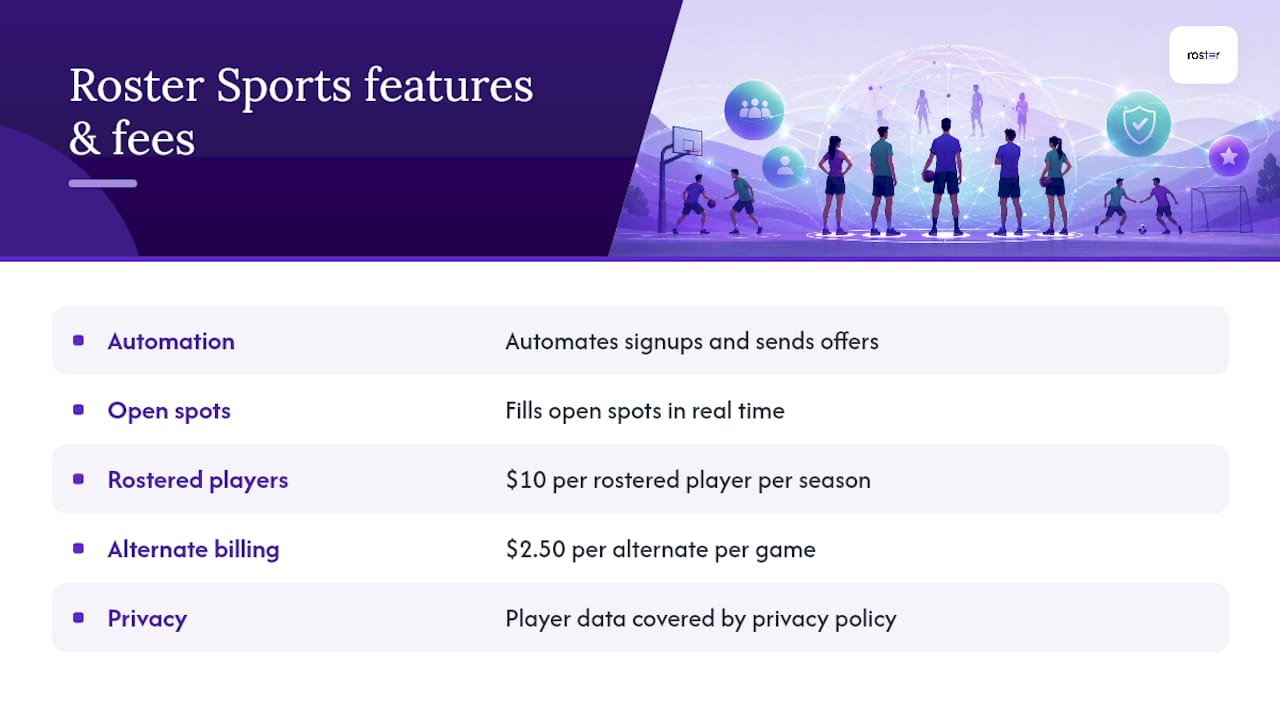
Roster Sports takes the manual grind out of pickup waitlist etiquette: it automates signups, fills open spots in real time, and sends the offer messages so the rules you set actually get enforced without you texting anyone at 9 p.m. Instead of chasing replies across three group chats, you set your priority rule once and let the app work the queue. Billing is straightforward: managers pay $10 per rostered player per season and $2.50 per alternate per game, charged automatically, no invoicing required. Your organizer time goes back to actually playing, and player data handling is covered in Roster's privacy policy. If you're managing more than a handful of alternates by hand, check out the app's game management features and see what a self-filling roster looks like on your next game night.
Sources
- You Have More Demand Than Spots. Now What?
- How to Set Up Online Registration for Your League (2026)
- How to Handle Last-Minute Dropouts Without Losing Your Mind | Good Game Sports Blog