
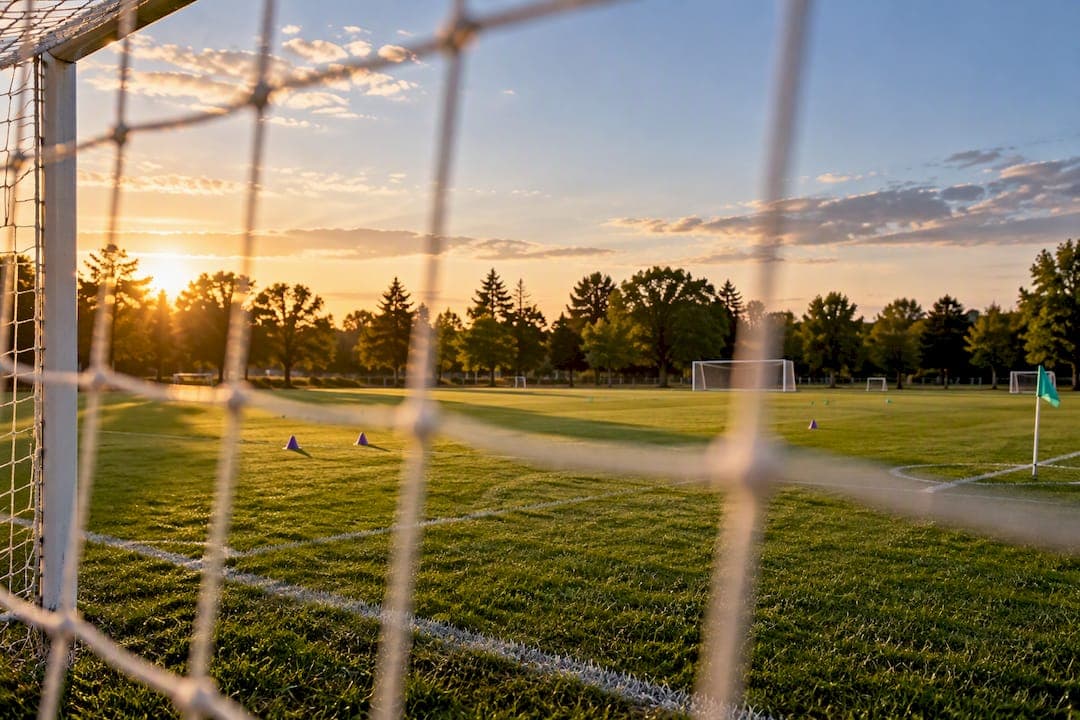
Pick a start time and a firm arrival window, publish one RSVP link with a clear cutoff, and turn on automatic waitlist fill so open spots get taken without you chasing anyone. That single sequence solves most of what makes organizing a pickup game exhausting. An app like Roster can run the RSVP, waitlist, and auto-fill parts for you, but the sequence itself works even if you're doing it by hand. The steps below map that process to a real week.
TL;DR:
- Using a single RSVP link with a clear cutoff and automatic waitlist fill minimizes last-minute scrambling and ensures a nearly full roster for pickup games.
- Setting a response deadline between 24 and 48 hours before the game allows automatic roster locking and seamless promotion of alternates without manual follow-up.
- Deploying community program strategies like skill-based labeling, flexible formats, and explicit arrival windows increases the likelihood of full attendance at scheduled times.
- Booking fields through official online portals or direct calls is essential, but a strong RSVP process and cutoff are crucial for converting space into actual playing time.
- Roster automates responses, waitlist promotion, and headcount tracking, reducing manual work while still requiring organizers to set game format and determine minimum turnout.
Table of Contents
- Set a game time and confirm your roster: a step-by-step checklist
- What automated waitlists and RSVPs actually do for you
- Best practices for picking times that actually fill up
- Copy-ready messages for RSVPs, cutoffs, and waitlist moves
- How to search for available soccer fields near your location
- How to book or reserve a soccer field online or offline
- Common booking platforms or apps for soccer field reservations
- Understanding field availability times and peak usage hours
- Alternatives if preferred soccer fields are fully booked
- Cost considerations or fees associated with soccer field booking
- What experienced organizers get wrong about game time
- Run your next game on Roster instead of a group chat
- Sources
- FAQ
Set a game time and confirm your roster: a step-by-step checklist
Most of the work happens between seven days out and kickoff. Breaking it into a short checklist keeps you from scrambling on game day.
- Pick your start time and arrival window. For example, kickoff at 7:00 PM with arrival by 6:45 PM gives you some minutes to sort teams and handle late swaps.
- Decide your default format and acceptable alternates. State whether you're running 7v7, 9v9, or full 11v11, and note that you'll flex down if turnout runs low.
- Create the event with an exact roster size and designated alternates, then publish one RSVP link instead of scattering the invite across three group chats.
- Set a response cutoff, ideally 24 to 48 hours before the game, and say so plainly in the invite.
- When the cutoff hits, lock the roster. Promote alternates into open spots, either automatically through your scheduling tool or manually by messaging the next name on the list.
- Send a final confirmation once the roster is locked, so nobody shows up unsure whether the game is happening.
- Run a 10 to 15 minute check-in window on arrival day to handle last-minute swaps, injuries, or no-shows before you start forming teams.
This rhythm mirrors what community programs already do. Recreation departments commonly run first-come, first-served registration with waitlists and manager confirmation steps specifically to manage capacity and cut down on late cancellations.
Pro Tip: Send your final confirmation exactly once, right after the cutoff. Repeated reminders in a group chat train players to ignore all of them, including the one that matters.

What automated waitlists and RSVPs actually do for you
Once you understand the mechanics, it's easier to see where an app is doing real work and where you still need to step in.
- One-click RSVPs replace the back-and-forth of texting each player individually.
- A real-time headcount dashboard shows exactly who's in, who's out, and how many open spots remain.
- Automatic waitlist promotion moves the next available alternate into a spot the moment someone drops, without you manually reshuffling a list.
- Automated notifications tell promoted players they're in, so you don't have to send that message yourself.
The rough timeline looks like this: publish the link, collect responses for several days, hit your cutoff, let the system auto-fill any gaps from the waitlist, then send the final confirmation. Your manual work shrinks to creating the event and reviewing the roster before the cutoff and again right before kickoff.
Roster automates RSVPs, waitlist promotion, and headcount tracking through a single shared link, which is the specific mechanism it uses to cut down on the admin work organizers otherwise handle over text.
What you still handle: setting the format, deciding on alternates versus a hard cap, and making the judgment call if turnout is genuinely too low to play. The app tracks who's in; you decide what "enough" looks like for your group.
Best practices for picking times that actually fill up
A few structural choices make the difference between a roster that fills itself and one you're still chasing an hour before kickoff.
- Label sessions by skill level. The Arlington County pickup program publishes separate divisions, novice, intermediate, and advanced, so players self-select into the right group instead of guessing.
- Set a minimum viable headcount up front so players know the threshold for the game to happen at all, rather than finding out at 6:55 PM.
- Apply a slot-filling heuristic when you run multiple time options. Research on group scheduling describes two approaches: Maximax fills already-popular slots first, while Minimax prioritizes underbooked slots to spread attendance more evenly. Use Maximax when you want one strong session; use Minimax when you're trying to keep two or three time slots all viable.
- State the arrival window clearly. Programs that spell out arrival times explicitly, like Glen Rock United's 15-minute early call, tend to start on schedule more reliably than ones that leave it vague.
Pro Tip: If you're splitting players across two time slots, don't split the invite. Ask everyone to RSVP to one link with a slot preference, then assign spots yourself using whichever heuristic fits your goal.
Copy-ready messages for RSVPs, cutoffs, and waitlist moves
You don't need to write these from scratch every week. Three short templates cover the whole cycle.
- RSVP invite: "Pickup soccer, Thursday 7:00 PM, arrive by 6:45 PM. Default format 7v7, flexing to turnout. All skill levels welcome, intermediate pace. RSVP here by Tuesday 7:00 PM: [link]."
- Cutoff reminder: "RSVP closes tonight at 7:00 PM. Roster locks at cutoff and any open spots fill from the waitlist automatically, so get your response in now."
- Waitlist promotion: "You're off the waitlist and onto the roster for Thursday's game. Arrive by 6:45 PM, same details as the original invite."
How to search for available soccer fields near your location
Before you can set a time, you need somewhere to play, and finding open field time usually starts with your city or county recreation department's website, since most maintain a searchable listing of public fields with permit or drop-in hours. Search engines and map apps also surface public parks with soccer fields nearby, though the listing rarely shows real-time availability, only that a field exists.
Local recreation programs are often the fastest route to a straight answer. Community pages like Chico's adult sports listings or Arlington County's coed pickup program publish specific fields, days, and time blocks tied to their organized sessions, which doubles as a reference for what times are typically open for public or permitted play in a similar setting.
If you're trying to fill a specific evening slot, calling the parks department directly usually beats digging through a website, since permit calendars aren't always posted publicly or kept current. Local adult soccer Facebook groups and community boards are another practical channel, since regular organizers in an area often know which fields go unused on weeknights.
Once you've identified a candidate field and a rough time, the harder part isn't finding the space. It's getting a full roster of players to actually show up at that time, which is where a clear RSVP process and cutoff matter more than the field search itself.
How to book or reserve a soccer field online or offline
Booking a public field typically runs through one of two channels: an online reservation portal run by the city or county parks department, or a phone call or in-person visit to the recreation office. Larger municipalities increasingly favor online booking through their parks and recreation website, where you select a field, date, and time block and pay any applicable fee at checkout.
Smaller towns or informal drop-in programs, by contrast, often still run on a first-come, first-served basis with no formal reservation system at all. Community program guidance points to this pattern directly: recreation departments frequently manage capacity through registration and waitlists rather than individual field bookings, especially for pickup-style sessions.
If you're booking for a recurring weekly game rather than a one-off, ask about a season-long permit instead of booking week to week. It's usually cheaper and guarantees your slot instead of leaving it open to whoever books first.
Offline booking still has a place, particularly for school fields, church properties, or private turf facilities that don't list availability publicly. A direct call or e-mail to the facility manager is often the only way to find out if a field is open, and it's worth asking about off-peak windows, since evening and weekend slots fill first.
Whichever way you book the field, that reservation only solves half the problem. The other half is getting your players locked in for that exact time, which is a separate task from securing the space itself.
Common booking platforms or apps for soccer field reservations
Field reservation and player scheduling are two different jobs, and it helps to keep them separate in your head. Field reservation platforms, usually run by the municipality itself, handle booking the physical space: selecting a field, date, and time block, and processing any rental fee.
Player-side scheduling tools handle a different problem entirely: getting a roster of people to show up at the time you've already booked. SportX1 is one example, offering real-time RSVP status, automated reminders, and a cutoff that locks responses so organizers aren't manually tracking replies. Roster works in the same category, built specifically around adult pickup games rather than facility booking, automating the single-link RSVP and waitlist promotion described earlier in this guide.
Confusing the two categories is a common mistake for new organizers. A city's field-booking portal will tell you the field is reserved for 7:00 PM on Thursday. It won't tell you whether 14 players are actually going to show up, and it won't fill the roster if three people cancel Wednesday night. That's the gap that RSVP and waitlist tools are built to close, and it's worth using one even if your field booking itself is handled through a phone call to the parks department.

Understanding field availability times and peak usage hours
Public soccer fields follow a predictable rhythm. Weekday evenings, roughly 5:00 PM to 9:00 PM, tend to be the most requested window since that's when most adults are free after work. Weekend mornings and early afternoons are the second-busiest stretch, largely driven by youth league games and tournaments that get priority booking in many municipal systems.
Weekday daytime hours and late weeknight slots after 9:00 PM are usually the easiest windows to find open, simply because fewer groups want them. If you're flexible on time, checking for early evening cancellations or booking a slightly later slot can be the difference between waiting on a list and getting confirmed same-week.
Community programs build their schedules around this same pattern. Arlington County's coed pickup program runs sessions timed to match when players are actually available, which is a useful reference point if you're picking a slot for your own group rather than joining an existing one.
Once you've settled on a time that fits typical availability, the scheduling heuristics from group research become useful again. If your target window is a popular one, expect competition for the field and for player attendance both, and consider whether an earlier or later slot might be easier to fill and to book.
Alternatives if preferred soccer fields are fully booked
A fully booked field doesn't have to mean a canceled game. Shifting your time by even an hour, earlier or later, often opens up availability that a fixed 7:00 PM search misses entirely. Weekday mornings and late evenings are consistently the least competitive windows at most public facilities.
School fields, church properties, and private turf facilities are worth checking even when they don't show up in a standard search, since many don't list availability online and only respond to a direct call. Some private facilities also rent out smaller-sided spaces, which pairs well with a flexible format like the 3v3 to 11v11 range that Glen Rock United uses for its own sessions when turnout varies.
If the field itself genuinely isn't available at any time that works, consider whether the game format needs to shrink rather than move. A smaller-sided game on a smaller patch of grass, a park lawn, or a futsal-style court can keep a regular group playing on schedule instead of skipping a week entirely.
Joining an existing community program is another option worth considering, particularly if you're organizing in an area that already has one running. Programs like Arlington County's or Glen Rock United's exist precisely so individual organizers don't each need to independently secure field time.
Cost considerations or fees associated with soccer field booking
Field rental fees vary widely by municipality, facility type, and whether you're booking a single session or a season-long permit, and there's no single number that holds across markets. Public fields booked through a city recreation department are typically the least expensive option, while private turf facilities and indoor futsal courts tend to run higher due to maintenance and overhead.
Season-long permits are usually cheaper per session than booking week to week, and they guarantee your slot instead of leaving you to rebook every time. If your group plays regularly, ask the parks department about seasonal or block booking rates before defaulting to single-session pricing. A closer look at what a typical field rental actually costs and how those fees break down is worth reading if you're budgeting for a season.
Field cost is separate from what it costs to run the roster itself. If you're using a scheduling app to manage RSVPs and waitlists, some charge the organizer directly, which is worth understanding before you commit to a season. Some scheduling apps charge the organizer per rostered player per season and per alternate per game, billed automatically rather than collected in cash or through informal transfers, which is a different cost line from the field rental fee itself and one worth budgeting for separately.
What experienced organizers get wrong about game time
The most common mistake is skipping the cutoff entirely. Without one, RSVPs trickle in until kickoff and you're always short one player or overloaded by three. A close second is a vague invite with no arrival window or format, which leaves players guessing and shows up as late arrivals.
A 30-minute weekly routine fixes most of this: create the event, share one link, set the cutoff, confirm the roster. Do it the same day each week and the admin load stops feeling like a second job.
— Daniel
Run your next game on Roster instead of a group chat
Everything in this guide, the single RSVP link, the cutoff, the automatic waitlist fill, is exactly what Roster was built to handle. Instead of manually tracking responses and messaging alternates one by one, you publish an event, players respond with one click, and open spots fill themselves the moment someone drops.

Roster fits directly into the timeline covered above:
- Publish: create the event once, share one link instead of three group chats.
- Collect: watch RSVPs land on a real-time headcount dashboard.
- Cutoff and auto-fill: the roster locks and alternates get promoted automatically.
| Timeline stage | What you do | What Roster handles |
|---|---|---|
| Publish | Create event, set format | Generates single shareable link |
| Collect | Share link with players | Tracks real-time headcount |
| Cutoff | Set deadline | Locks roster automatically |
| Auto-fill | Nothing | Promotes alternates from waitlist |
Check out the Roster landing page for the full feature rundown, or head to the app links page to install it on your phone before your next game.
Sources
- Optimeet: A computational tool to enhance participant attendance in group research | Behavior Research Methods
- Coed Adult Pick-Up Soccer – Arlington County
- Adult sports registration and program guidance — Chico Recreation
FAQ
How far in advance should I set my RSVP cutoff?
Most organizers set the cutoff between 24 and 48 hours before the game, which gives enough time to promote alternates from the waitlist without leaving too long a gap before kickoff. A shorter cutoff risks not having time to fill last-minute drops.
What should I do if turnout is too low for a full game?
Default to a flexible format instead of canceling outright. Programs like Glen Rock United run games anywhere from 3v3 to 11v11 depending on who shows up, which keeps the session alive even with a smaller group.
How do I handle repeat no-shows without losing players?
A short, one-time final confirmation message after your RSVP cutoff reduces no-shows more effectively than repeated reminders in a group chat, according to community recreation program guidance. If a player no-shows repeatedly after confirming, move them to alternate status for future games rather than the confirmed roster.
Can I run multiple pickup games in the same week?
Yes, and using a slot-allocation approach helps you decide where to put your energy. Research on group scheduling describes Maximax, filling already-popular slots first, versus Minimax, prioritizing underbooked slots, depending on whether you want one strong session or several viable ones.
Does Roster charge players or just the organizer?
Roster bills the organizer directly, not the players. The fee structure charges per rostered player per season and per alternate per game, based on published details on the Roster site.