
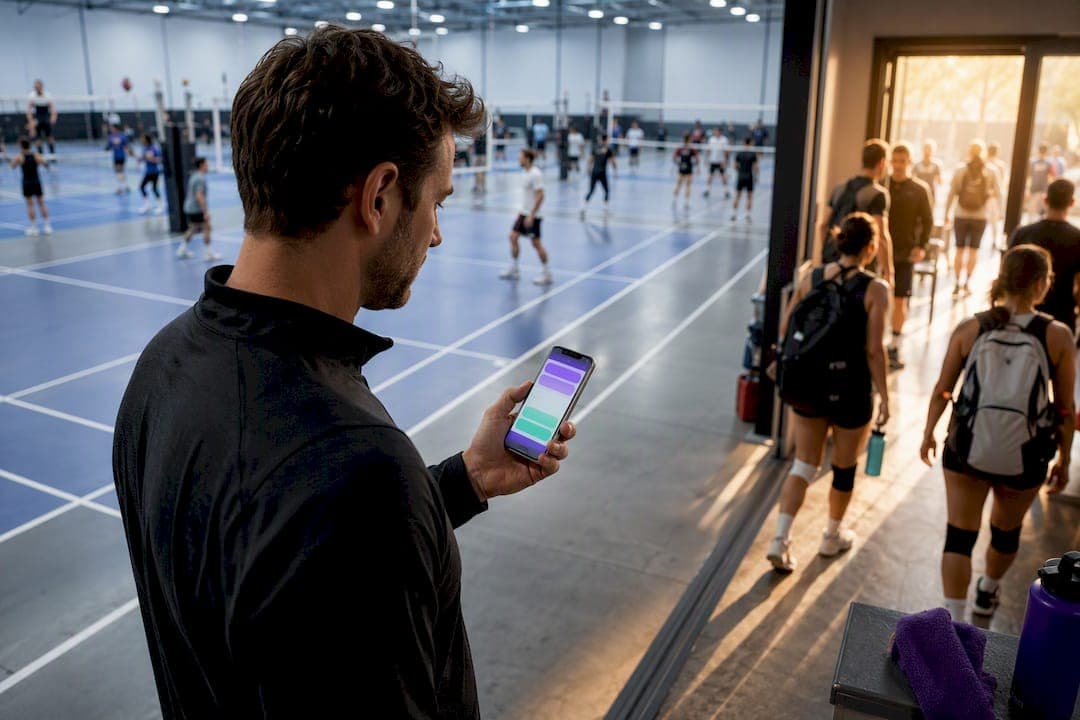
Run every recurring night on the same repeatable model: a recurring event template, a hard capacity cap, an ordered waitlist with automatic promotion, and one persistent signup link per series. Manual follow-up disappears because a tool like Roster fills open roster spots and promotes waitlisted players in real time. Success looks simple: rosters stay full, cancellations get replaced without a text chain, and you spend fewer actions per game managing logistics.
TL;DR:
- Using one persistent signup link per series prevents players from losing track and reduces manual reconciliation across multiple weeks.
- Automated waitlists that promote next in line instantly eliminate the time-consuming task of manually finding replacements for cancellations.
- Setting cadence rules for full season lengths upfront avoids errors from mid-season schedule adjustments and helps stagger multiple nights effectively.
- Caps should reflect the sport's typical team size, such as 10-12 for basketball or 16-22 for soccer, and be kept conservative to prevent overcrowding.
- Once managing more than 10 to 12 regulars or frequently dealing with last-minute dropouts, transitioning to an automated scheduling system like Roster becomes a significant time-saver.
Table of Contents
- Building a Workflow That Handles Multiple Pickup Nights
- Picking the Right Cadence for Recurring Games
- Setting Caps and Running a Waitlist That Fills Itself
- What Should Your Game Invite Actually Say?
- Tracking Attendance and Handling No-Shows Fairly
- When to Stop Managing Manually and Automate
- Where Most Organizers Actually Go Wrong
- How Roster Handles the Workflow for You
- A Few More Resources Worth Bookmarking
- Sources
- FAQ
Building a Workflow That Handles Multiple Pickup Nights
Running one pickup night well is manageable. Running three or four on top of day jobs and text threads is where most organizers start dropping balls, literally. The fix isn't more hustle. It's a workflow you set up once per series and then let run.
Here's the sequence that scales:
- Build a recurring event template for each night. Lock in the day, time, venue, and capacity once, then let the series generate future sessions automatically instead of recreating a new event every week.
- Share one persistent signup link per series. Every player RSVPs in the same place every time, whether it's week 1 or week 12, so nobody hunts through old messages for "the link."
- Order your roster by priority. Put confirmed regulars at the top and alternates below them, so when a spot opens, the next replacement is obvious rather than a group-chat negotiation.
- Let the waitlist auto-promote. When a confirmed player cancels, the system should move the next person up immediately rather than waiting for you to notice and text someone.
The reason this matters more with multiple nights than with one: every manual step you skip once gets multiplied across every series you run every week. A five-minute fix on Tuesday's game becomes twenty minutes across four weekly nights. Persistent signup links and pre-created session series cut that friction because players build a habit around one consistent link rather than relearning your process every week.
Picking the Right Cadence for Recurring Games
Weekly, biweekly, or monthly? The answer depends on venue cost and how reliably your group shows up. A standard recreational season for adult team sports typically runs 8 to 12 weeks with one game per week as the baseline. That cadence keeps momentum and makes attendance a habit. Stretch to biweekly and you'll see softer commitment, since players treat it as optional rather than routine.
Before you lock in a pattern, capture these fields in your template:
- Capacity (max confirmed players)
- Session duration and start/end times
- Series start date and end date
- Repeat rule (weekly, every other week, monthly)
If you run more than one pickup night, stagger them deliberately. A Tuesday basketball run and a Thursday pickup soccer session don't compete for the same players' calendars, and staggering also gives dropouts from one night a second option later the same week.
Pro Tip: Set your repeat rule for the full season length up front. Editing a series mid season to add more occurrences is far more error prone than setting 10 to 12 weeks once and adjusting capacity as you go.
Setting Caps and Running a Waitlist That Fills Itself
Capacity should match the sport, not your optimism. A half court pickup basketball run holds up cleanly at 10 to 12 players. A full field soccer night needs 16 to 22 depending on format. Set the cap conservatively. It's far easier to open one extra alternate slot than to tell three extra people mid warmup that there's no room.

The waitlist is where most manual scheduling breaks down. Once a confirmed player cancels, a properly ordered queue promotes the next person in line and fills the spot in real time, without you checking your phone between meetings. Manual replacement means you're the bottleneck, checking chats, texting alternates, hoping someone answers before kickoff.
Rules worth setting from day one:
- Give confirmed players a cancellation window (24 hours is standard) before it counts against reliability.
- Promote alternates in the exact order they joined, not by who you remember first.
- Flag last-minute subs (inside 2 hours) separately, since they often need a direct nudge rather than an automated notification.
Auditing club directors consistently name scheduling conflicts as their biggest operational obstacle, and an ordered, auto-promoting waitlist is the single biggest lever against it.
What Should Your Game Invite Actually Say?
A good invite answers five questions before anyone has to ask: when, where, how many spots, what to bring, and how to pay. Skip one of these and you'll field the same question by text six times before Thursday.
A tight template looks like this:
- Time and date: Specific, not "usual time."
- Location: Full address or court number, not just "the park."
- Capacity: "12 spots, first come first served" sets expectations instantly.
- What to bring: Cleats, light/dark shirts, own ball if relevant.
- Payment instructions: How and when players pay their share.
Concrete invite elements measurably improve RSVP reliability because players stop guessing and start committing.
Send that invite through one persistent signup link per series, not a fresh link every week. Reserve group chat for what it's actually good for: same-day changes, weather calls, and last-minute logistics. Attendance tracking, roster status, and auto-promotions belong in a system that updates on its own, not in a scroll of forty unread messages.

Tracking Attendance and Handling No-Shows Fairly
Attendance capture should take seconds, not a post-game recap session. A simple check-in list at the venue works for small groups. Anything beyond 12 to 15 regulars benefits from an app-based check-in that timestamps who actually showed, so you're not relying on memory two hours later.
No-show policy matters more than most organizers admit early on. A fair baseline: two unexcused no-shows in a season moves a regular to alternate status for the next few weeks. That keeps your roster reliable without turning attendance into a punishment system.
- Track no-shows separately from late cancellations. They're different reliability signals.
- Reconcile payment right after the game while attendance is fresh, not three days later.
- For peer-to-peer collection, record who paid and who owes directly against that night's roster, whether that's a spreadsheet note or an in-app payment log tied to Venmo.
Pro Tip: Reconcile attendance and payment in the same sitting. Separating them by even a day is when "I already paid" disputes start.
When to Stop Managing Manually and Automate
Count your steps. If confirming one game requires more than three distinct manual actions, a message, a spreadsheet update, a payment reminder, you've likely crossed the point where an integrated scheduling tool pays for itself in saved time.
Three operational signs it's time to switch:
- You're managing more than 10 to 12 regulars across one or more nights, and remembering who's owed a spot is getting error-prone.
- Last-minute dropouts are frequent enough that you're scrambling for subs weekly, not occasionally.
- You've double-booked a venue or overlapped two nights because tracking lived in your head instead of a system.
Automation doesn't add new capability so much as remove the friction you've been absorbing manually: recurring templates that generate themselves, waitlists that auto-promote, and RSVPs that update in real time while you're at work.
Where Most Organizers Actually Go Wrong
The most common mistake isn't laziness. It's using a different signup link every week because the old thread got buried. Players lose track, sign up twice, or miss the new link entirely, and the organizer ends up reconciling three different lists by hand. Fix it by treating one series as one permanent link, full stop.
The second mistake is trusting a group chat headcount as your actual roster. Chat scroll isn't a database. A "yes" from three weeks ago doesn't mean someone's coming tonight. For deeper tactics on both problems, the invite message breakdown and no-show reduction guide go further than this section can.
— Daniel
How Roster Handles the Workflow for You
Roster is built around the exact workflow this article recommends: recurring event templates so you're not rebuilding a night from scratch every week, capacity caps, an ordered waitlist that auto-promotes the moment someone drops, and one signup link per series that stays constant across the whole season.

Roster automates RSVP tracking and roster management so open spots fill themselves and cancellations don't become your problem to solve manually. Managers are billed fees automatically based on rostered participation rather than being chased down after the fact. If you're running multiple recurring nights and tired of being the group's unpaid scheduling assistant, check out Roster's app or visit the Roster landing page to see how a single setup step replaces your weekly admin routine.
A Few More Resources Worth Bookmarking
- How to reduce no-shows
- Canceling a game without losing your roster
- Capra Sports team stores for uniforms and gear
Sources
- Recreational Sports League Formats and Scheduling
- Stop Scheduling Conflicts: Tactics for Youth Sports Managers - Waresport
- Sportal for Managers | Roster, Payments, and Season Management
FAQ
How Do I Manage Multiple Pickup Nights Without Burning Out?
Standardize each night with a recurring event template, a fixed capacity, and one signup link, so setup happens once instead of every week. Automation for waitlists and RSVP tracking, like the features Roster offers, removes most of the manual follow-up that causes burnout.
What's the Ideal Capacity for a Pickup Game?
Capacity depends on the sport and venue. Half court basketball works well at 10 to 12 players, while a full field soccer night typically needs 16 to 22, and setting the cap conservatively prevents last-minute overcrowding.
How Does an Ordered Waitlist Work?
An ordered waitlist ranks alternates by signup order, so when a confirmed player cancels, the next person on the list gets promoted automatically instead of the organizer texting around for a replacement. This keeps rosters full without manual scrambling.
When Should I Switch From Manual Scheduling to an App?
If confirming a single game takes more than three manual steps, messaging, updating a spreadsheet, and chasing payment, you've hit the point where an integrated scheduling tool typically saves meaningful time. More than 10 to 12 regulars or frequent last-minute dropouts are strong signals too.
How Much Does Roster Cost for Organizers?
Roster charges fees based on player participation and alternates, billed automatically; current pricing details are available on the Roster website. Full pricing details are available on the Roster website.