

To schedule a pickup game that keeps running, fix a recurring day and time, lock down the field or court, put every detail in one place, and let players claim spots from a single link instead of replying in a group chat. Roster is built for exactly this: you set the game details, share one link, and spots fill in real time, with a waitlist behind them when someone drops out.
The rest of this guide walks through the whole routine for adult pickup soccer, basketball, volleyball, pickleball and similar games, including where organizers lose hours and how to get them back.
TL;DR
- Pick a recurring slot most of your core group can make and keep it the same every week. Predictability beats a perfect time.
- Confirm the field or court is yours before you invite anyone, and line up a backup location.
- Put sport, date, time, place, player cap and cost in one invite, with one link for signing up.
- Treat dropouts as a normal part of the week: a waitlist fills the gap without you texting twenty people.
- Roster automates sign-ups, roster spots, waitlists, group chat and Venmo payment tracking so you can show up and play.
Table of Contents
- What scheduling a pickup game really involves
- Step 1: Choose a recurring day and time
- Step 2: Lock down the field or court
- Step 3: Decide what to tell players
- Step 4: Collect RSVPs without a group chat thread
- Step 5: Handle cancellations, open spots and waitlists
- Step 6: Keep communication in one place
- Step 7: Collect money without chasing it
- A sample weekly routine
- Growing the game once it is stable
- Our point of view
- Run your next game with Roster
- FAQ
- Sources
What scheduling a pickup game really involves
A pickup game is an informal, drop-in game with no league structure: whoever shows up plays. The informality is the appeal, but someone still has to decide when and where, tell people, count heads and deal with the person who bails an hour before kickoff. That someone is you, the organizer.
Most organizers start the same way: a text to a few friends, a reply or two, a bigger group chat, and then a thread of 80 messages where "I'm in" and "maybe, depends" are buried between memes. Scheduling is easy. Tracking who is actually coming is the part that eats your week.
So the job splits into five decisions:
- When the game happens, and how often.
- Where it happens, and whether you are allowed to be there.
- What players need to know before they say yes.
- How players claim a spot, and how you see the roster.
- What happens when someone cancels or too few people show.
The sections below take them in order.
Step 1: Choose a recurring day and time
The most common mistake is hunting for the perfect time. A guide on running recurring games from PointCast advises picking a day and hour that most of your core group can make, then keeping it the same each week. The reasoning is simple: people build a fixed slot into their routine, and a game that moves every week gets quietly dropped.
How to choose:
- Ask your core group, not everyone. Five to eight regulars who agree on Tuesday at 7 p.m. matter more than fifty names who might come.
- Pick a slot that does not compete with work. Weeknights after 6:30 p.m. and weekend mornings tend to be the easiest to hold, but your group's answer beats any rule of thumb.
- Commit to a trial run. Tell people you will run four weeks at the same time, then adjust based on who actually showed up.
If you play seasonally, such as a fall soccer run or a winter volleyball block, schedule the whole season at once. Players can see every date up front, and you avoid re-announcing the game every single week. Roster handles both single games and full seasons, so you can set the schedule once and share it.
Step 2: Lock down the field or court
The time means nothing if you cannot use the space. Before you invite anybody, find out who manages it. Public courts and fields are usually run by a city parks and recreation department or a school district, and many require a reservation or permit, especially for groups or regular use. The PointCast guide makes the same point: check the managing agency's rules before you plan around a public space.
A practical checklist:
- Find the managing agency. Search your city's parks and recreation page for the field name, or call the department.
- Ask about group or recurring reservations. Some fields allow a standing weekly booking, others only one date at a time.
- Ask about fees and insurance. Rentals at indoor facilities and school gyms often come with an hourly cost and sometimes a proof-of-insurance requirement.
- Pick a backup. A second location or an alternate day keeps the habit alive when rain, a double booking or a locked gym ends one week. One lost week should not end the game.
Write the backup plan into the invite so it is not a surprise. "If it rains, we move to the indoor court at the same time" is one sentence and saves a dozen messages.
Step 3: Decide what to tell players
A good invite answers every question before it gets asked. Each question you leave out becomes a reply in your inbox. Include:
- Sport and format. Five-a-side soccer, full-court basketball, doubles pickleball.
- Date, start time and end time. Say when to arrive, too, if warm-up matters.
- Exact location. Field number, court, or which entrance to use.
- Player cap. How many spots exist. A cap is what makes people respond quickly.
- Skill level. "Casual, mixed ability" or "competitive" sets expectations and keeps the wrong crowd away.
- Cost. If there is a field fee, say how much and how to pay.
- What to bring. Light and dark shirts, a ball, water, indoor shoes.
- The cancellation rule. How late can someone drop out, and what happens to their spot.
Our own guides go deeper on the wording: six game invite message elements that fill rosters covers what to say, and the sport-specific pieces on pickup soccer, pickup basketball, pickup volleyball and pickup pickleball cover the decisions each sport adds, such as team balance, court rotation and net setup.
Step 4: Collect RSVPs without a group chat thread
This is where most organizers lose the most time. A message thread is a bad database: replies arrive out of order, people change their minds, and "in" from Monday may not mean "in" on Thursday.
The common advice for taming a chat is sensible. PointCast recommends one group chat with a few ground rules: post the day, time and place, ask for a reply by a set time, state what happens if too few people say yes, keep messages short, and name an organizer with a backup who can take over when you are away. Those norms genuinely help.

But notice what they have in common: they are all ways to make a chat behave like a sign-up sheet. A better move is to use a sign-up sheet.
What a good RSVP system gives you
- One link. Players tap it, see the game details and claim a spot. No scrolling, no "who's in?"
- A visible roster. Everyone can see who is on, how many spots remain and who is on the waitlist. For soccer coordinators in particular, roster transparency ends the "wait, who is actually coming?" question and the quiet resentment when the same people keep covering for no-shows.
- A hard cap. When the game is full, it is full. The next person lands on a waitlist rather than in your DMs.
- A clean line between regulars and alternates. Your core players hold standing spots, and alternates get the open ones game by game.
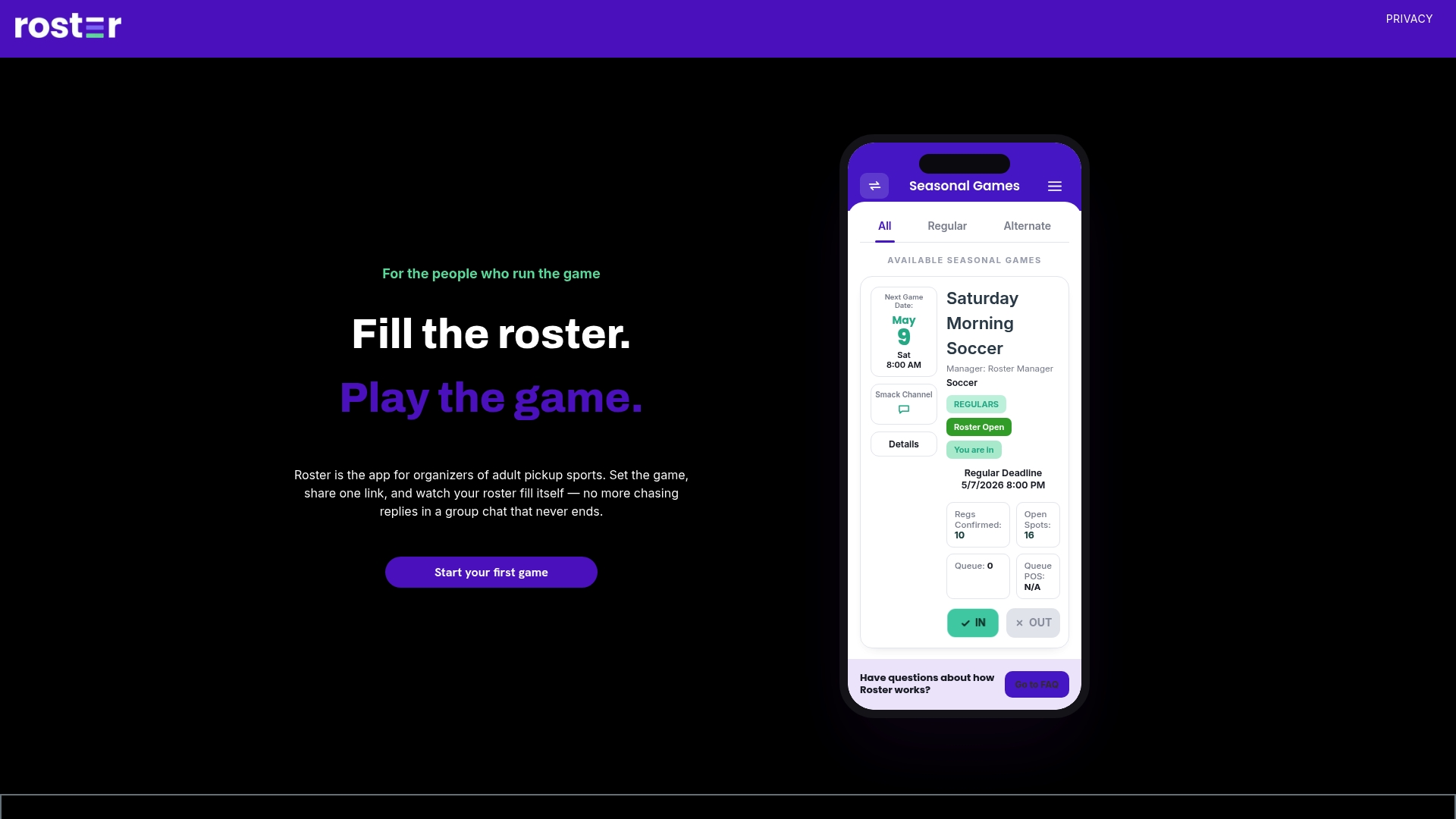
That is what Roster does. You set the game details, share a single link, and the app tracks who has signed up, manages regulars and alternates, and fills open spots in real time. Our guide to cutting no-shows with a six-step RSVP checklist lays out the habits that make any sign-up stick.
Step 5: Handle cancellations, open spots and waitlists
People cancel. Kids get sick, meetings run long, ankles roll. The schedule is only as good as your plan for the empty spot.
The manual version looks like this: someone texts you at 4 p.m. that they are out, you post in the chat, wait, privately message three alternates, one answers, and you update the headcount in your notes. Multiply by two or three dropouts a week and you are running a small staffing agency for free.
A waitlist replaces all of it:
- Set a cutoff. Decide how late a player can drop without penalty, for example 24 hours before, and say so in the invite.
- When someone drops, the first person on the waitlist gets the spot automatically.
- If the game is short on players at the cutoff, decide in advance what happens: play with fewer, merge into a smaller format, or cancel. PointCast's advice to state upfront what happens if too few people say yes applies here too.
- Look at who dropped late, repeatedly. A gentle word, or moving them to alternate status, is better than silent frustration.
In Roster, open spots fill in real time and dropouts create a waitlist, so there is no manual round of messages. The roster you see is the roster that plays.
Step 6: Keep communication in one place
Even with a sign-up link, you still need to say things: the field changed, bring a white shirt, parking is on the east side. Keep announcements in one group chat, short and tied to the game. Roster includes group chat for each game, so the people who are playing get the updates and the conversation stays attached to the roster rather than to a thread that also contains someone's birthday plans.
A useful rule of thumb: the chat is for announcements and banter, the link is for commitments. If "I'm in" appears in the chat, a friendly reply with the link keeps the roster honest.
Step 7: Collect money without chasing it
If your game has a field fee, ball fund or post-game pizza, money is the next source of friction. Chasing Venmo requests by hand is the part of organizing nobody enjoys. Roster integrates peer-to-peer Venmo payment tracking between players and managers, so you can see who has paid for the game without keeping a spreadsheet. Players pay you directly, as they would anyway, and the app does the bookkeeping.
On the organizer side, Roster bills the manager's card on file based on rostered participation, per regular for the season and per alternate for each game, seven days after scheduled games. Players never pay Roster.
A sample weekly routine
Here is what a lean week looks like for a Tuesday 7 p.m. soccer game.
| When | What you do |
|---|---|
| Season start | Reserve the field, set the recurring schedule, share the sign-up link with your core group |
| Monday | Glance at the roster; share the link again if spots are open |
| Tuesday, 24 hours before cutoff | Waitlist fills any dropouts automatically |
| Tuesday, game day | Post any field or weather update in the group chat |
| Tuesday, 6:45 p.m. | Arrive, play, and skip the headcount |
| After the game | Check who has paid |
The organizer's work happens once, at the start. Everything after is maintenance that the app does while you play.
Growing the game once it is stable
Once the core group is solid, grow slowly. Invite friends of regulars, put the link in a neighborhood group or at the local rec center, and let the waitlist show you real demand. If the waitlist regularly has five names, you have the evidence to add a second night or a second field. Our piece on growing a pickup group with one link and friend invites covers how to do that without turning into a full-time job.
Our point of view
Pickup sports exist so people get off their screens and meet in person. The irony is that organizing them usually happens on a screen, in a thread that never ends. We think that is backwards.
The organizer's real job is to create a reliable moment: same time, same place, enough players. Everything else is logistics that software should carry. When one link shows who is in, who is waiting and who has paid, you stop being a dispatcher and go back to being a player.
That is why Roster is built around the organizer. Set the game, share the link, let the roster fill itself. The less time you spend counting replies, the more games happen, and the more people end up on a field together.
Daniel
Run your next game with Roster
If you organize adult pickup games, Roster is made for the way you actually run them: one shared link for sign-ups, real-time roster spots, a waitlist for dropouts, group chat and Venmo payment tracking, for single games or full seasons. Set up your first game at Roster and send the link to your regulars.
FAQ
How far in advance should I schedule a pickup game?
For a recurring game, schedule the whole season up front so players can plan around it. For a one-off, a week of notice gives people enough time to say yes while keeping the date fresh. Posting the link again two or three days before is usually enough to fill the last spots.
Do I need a permit to play pickup on a public field?
Often you do for groups or regular use, though rules vary by city and by field. The managing agency, usually parks and recreation or a school district, sets them, so check with them before you promote the game. Having a backup location also protects you if a booking falls through.
How do I stop people from flaking?
Set a hard player cap, state a cancellation cutoff in the invite and use a waitlist so a dropout is replaced rather than leaving a hole. Making the roster visible helps too, since people feel more accountable when others can see their name. Roster shows everyone the roster and fills open spots automatically.
Is there an app for scheduling pickup games?
Yes. Roster is an app for adult pickup organizers: you set the game or season, share one link, and it manages sign-ups, regulars and alternates, waitlists, group chat and Venmo payment tracking.
What should I do if too few people sign up?
Decide before the week starts and put it in the invite: play a smaller format, merge with another group, or cancel by a set time. Telling players the rule in advance means nobody is surprised when it happens.