

Zelle works for team payments when you treat it as what it is: a way to move money from one bank account to another. It does not tell you who has paid, who still owes, or which player a payment was for. Once a game has more than a handful of players, that record-keeping is where the time goes. The cleanest setup is to keep signups, roster spots and payment tracking in one place, with Zelle or another payment method handling only the transfer. That is the job Roster is built for in adult pickup sports.
Below: how Zelle works for a team, what players need, the limits and risks, and a routine that keeps your records straight.
TL;DR
- Zelle sends money between U.S. bank accounts, typically with no fee to the consumer, but it is a transfer tool with no team ledger.
- Payments to an enrolled recipient cannot be canceled or reversed, so confirm the recipient's name before every first payment.
- Banks set their own Zelle limits, and they can differ a lot between a new account and a long-standing one.
- Anything beyond the transfer (who is in, who is on the waitlist, who paid) is your job, unless an app handles it for you.
- Roster handles signups, roster spots, waitlists and Venmo payment tracking from one shared link.
Table of Contents
- What Zelle does well for a team
- What you and your players need before the first payment
- Limits: how much can a team send?
- Where Zelle stops: the record-keeping gap
- Sending and receiving safely
- Wrong person, no-show or refund: what Zelle can and cannot undo
- How to run team payments, step by step
- When Zelle is enough, and when to add structure
- Our view: the payment is not the hard part
- Get the roster and the payments in one place
- FAQ
- Sources
What Zelle does well for a team
Zelle is built into the apps of banks and credit unions. Zelle says it is available in over 2,400 bank and credit union apps, and all you need to pay someone is their email address or U.S. mobile number. If the recipient is already enrolled, the money is typically available within minutes.
That speed is why organizers like it. Chatham United Soccer's team treasurer guidance recommends collecting fees from parents in advance with Venmo or Zelle, because it is hard to get money out of people each time the team has a cost. The same page suggests a team treasurer consider a bank account in the team's name, with the treasurer separate from the parent manager, so one person does not control all the money.
Cost is also low. Zelle's FAQ says that typically there are no fees for consumers to send or receive money, and it recommends confirming with your bank that it does not charge for Zelle. Wells Fargo adds that account fees such as monthly service or overdraft fees may still apply to the underlying account.
What you and your players need before the first payment
Everyone who pays or collects needs a bank or credit union that offers Zelle. The standalone Zelle app is gone: new enrollments ended January 8, 2025, and sending and receiving ended March 31, 2025. Players now enroll through their own bank.
On the account side, U.S. Bank says both parties need an eligible checking or savings account and a U.S. mobile number registered in their banking profile for at least three calendar days. Chase customers cannot enroll with a savings account, only an eligible U.S. checking account. Both of these are bank-specific rules, so a player at a different bank may see a different requirement.
In practice, the three-day rule matters if you announce a game on Wednesday and expect payment Thursday from a player who just set up Zelle. Tell new players to enroll early.
How a player sends the payment
Steps vary by bank, but the flow is similar. A South Florida referee association describes it as: confirm your bank supports Zelle, enroll in your bank's app or website, tap the Zelle tab, choose Send, enter the recipient's email, enter the amount, then review and send. At U.S. Bank, the path is Transfer & pay, then Send & request money with Zelle, and no separate Zelle login is needed.

Put those instructions, and exactly which email or phone number to use, in one message so no one has to guess.
Limits: how much can a team send?
Per-game fees are small, but season dues or a tournament entry for a whole roster can add up, and limits vary by bank:
| Bank | Consumer send limits | Source |
|---|---|---|
| Wells Fargo | Up to $3,500 per rolling 24 hours and $20,000 per rolling 30 days; receiving is not limited | Wells Fargo Zelle FAQs |
| Citibank, newer accounts | $500 daily and $2,500 monthly | Citibank Zelle terms |
| Citibank, established accounts | $2,500 to $5,000 daily and $15,000 to $20,000 monthly, by account tier | Citibank Zelle terms |
Citi's terms also say limits can be lower for recently enrolled or inactive recipients and may change without notice. For a normal pickup game, none of this will bite. For a captain paying a league entry for twelve people at once from a new account, it might. Check your own bank's limit page before a big payment, and ask whether your account type has a separate limit if you collect through a business account.
Where Zelle stops: the record-keeping gap
Zelle shows you a transfer. It does not know your roster. A payment arrives as a name, an amount and a date, and you are left to match it to a player, a game and a spot.
That gets messy fast:
- A player pays for a friend, and the memo does not say so.
- A spouse pays from a different account with a different name.
- Someone pays but dropped out Tuesday, and now you owe a refund.
- Someone claims they paid, and you scroll through your bank history to check.
Organizers use workarounds. The NASGA tournament Zelle FAQ, for example, tells payers to multiply the entry fee by the number of players and list the extra names in the memo, and to email the treasurer if the bank has no memo field or the names were left off. That works for a tournament with a treasurer. It is a lot of manual matching for a weekly game.
Chase offers a split feature in its app that lets you pick a charge, choose contacts, include your own portion and send requests. That helps with a one-off expense, but it works inside one bank's app and is not a roster, a waitlist or a season ledger.
A minimum record for a Zelle-collected team
If you collect with Zelle, keep a simple log, a spreadsheet or notes file, with these columns: date, player, what it covers (game date or season), amount, who else it covers, and the bank's confirmation. Update it the same day, because bank histories show names, not reasons. Share the sheet with a co-manager so more than one person can check it. This is basic bookkeeping, and it is also the part that most organizers eventually want off their plate.
Sending and receiving safely
Teams are small and friendly, which is when people get casual. A few habits protect you.
Verify the recipient before the first payment. Wells Fargo says that on first-time sends it texts an access code to verify the sender, and if the recipient's number or email is enrolled, it shows the name on record, sometimes only a first name, before you continue. Players should check that name against the organizer's.
Publish one payment address. Post the exact email or number in the game page, not scattered through a group chat where a lookalike message could slip in. U.S. Bank advises sending only to people you know and trust, double-checking the recipient, never sharing login credentials and ignoring unsolicited requests. It also says it will never ask you to send money or give a security code by phone or text.
Turn on account alerts. Finder's guidance for Zelle users includes enabling multi-factor authentication, Face ID and transaction alerts, which also give you a timestamped notice of each incoming payment.
Wrong person, no-show or refund: what Zelle can and cannot undo
This is the part to understand before you accept a first payment.
Zelle's Help Center says payments cannot be reversed. You can cancel a payment from the activity page only if the recipient has not enrolled. If the recipient is enrolled, the money goes straight to their bank account and cannot be canceled.
If you pay someone who is not yet enrolled, they have 14 days to register with the same email or number you used, or the money returns to the sender. A typo in the email address can therefore leave a payment pending, or send it to someone else if that address is enrolled.
Protection also differs from a card. Wells Fargo notes that Zelle is meant to replace cash and checks, so you do not have the same protections as a credit or debit card transaction. U.S. Bank says neither it nor Zelle offers purchase protection, such as when an item is not as described. Chase states that it does not reimburse authorized Zelle payments, except through a limited program for certain imposter scams that may change or end.
For a team, the practical rule is simple: if a game is canceled or a player drops, the refund is a new payment you send, not a reversal. Decide your refund policy before you collect, and write it down.
If you see a payment you did not authorize, call your bank right away. Regulation E generally requires the bank to receive an error notice within 60 days after the statement showing the error is sent, and a verbal notice is allowed. Prompt reporting also gives the bank a better chance of recovering money in a scam case. For disputes your bank does not resolve, you can file a complaint with the CFPB or your state attorney general.

How to run team payments, step by step
Here is a routine that works whether you use Zelle, Venmo or both. At each step, there is a point where the manual way costs you time.
- Set the fee model. Decide whether players pay per game or for a season. Season dues vs. drop-in walks through which fits which kind of game. Regulars usually suit season dues, and alternates suit per-game fees. Roster is set up around that split: it manages regulars and alternates and charges the manager based on rostered participation.
- Work out the real cost. Field or gym rental divided by the number of players you reliably get. How to split field costs fairly covers the math, including what to do when turnout swings.
- Open signups before money. A player who is not sure they are in should not be paying yet. With Roster you set the game details and share a single link, and it fills open spots in real time and builds a waitlist for dropouts, so you do not have to count RSVPs in a group chat.
- Collect in advance. Chatham United's guidance is to collect before costs occur, and collecting game fees without chasing anyone shows how to do it for pickup games.
- Match each payment to a spot. With Zelle, that means your bank history and a spreadsheet. With Roster's integrated peer-to-peer Venmo payment tracking, payments between players and the manager are tracked in the app, which is the point of tracking Venmo payments from players in one place and of verifying player payments in under a minute.
- Handle dropouts. When someone leaves, the waitlist fills the spot automatically in Roster. Any refund between you and the player is a separate payment.
- Reconcile after the game. Check that everyone on the roster paid, and send reminders only to the people who did not.
When Zelle is enough, and when to add structure
Zelle alone is fine for a small, stable group: eight friends, the same field, the same split every week, one person who remembers who paid. It also suits one-time reimbursements, like paying back the organizer for a ball bag.
The pain starts when any of these are true: you run more than one game, you keep a waitlist, your roster changes weekly, or you have alternates who pay per game. At that point you are handling three jobs at once, scheduling, roster and bookkeeping, and the payment rail is the smallest of them. Roster combines the scheduling, the signup list, the waitlist and the payment tracking, so the only chasing left is the occasional nudge. For the cashless side of this, see one signup link that ends chasing money.
Our view: the payment is not the hard part
Most organizers we talk about this with start with the wrong question. They ask which payment app to use, as if the app were the problem. Sending $10 takes ten seconds on any of them.
The hard part is everything around the $10: who is actually in, who is on the bench, who dropped out last night, who said they paid and who really did. When that lives in a group chat and a bank statement, the organizer becomes an unpaid accountant.
That is why we built Roster around the game, not the transaction. You set the details, share one link, and the roster fills itself, with a waitlist behind it. Payments between players and managers are tracked alongside the roster, so the question "did Mike pay?" has an answer that does not involve scrolling.
We would rather you spend your week thinking about the game than about the spreadsheet. Pickup sports exist to get people off their screens and onto a field, and the logistics should take as little of your attention as possible.
Daniel
Get the roster and the payments in one place
Roster is a mobile app for organizers of adult pickup sports. You set the game details and share a single link, and Roster handles real-time signups for regulars and alternates, tracks roster spots and waitlists, supports group chat, and tracks peer-to-peer Venmo payments between players and you. It also automates game and season scheduling. Players do not pay Roster: the manager is billed based on rostered participation.
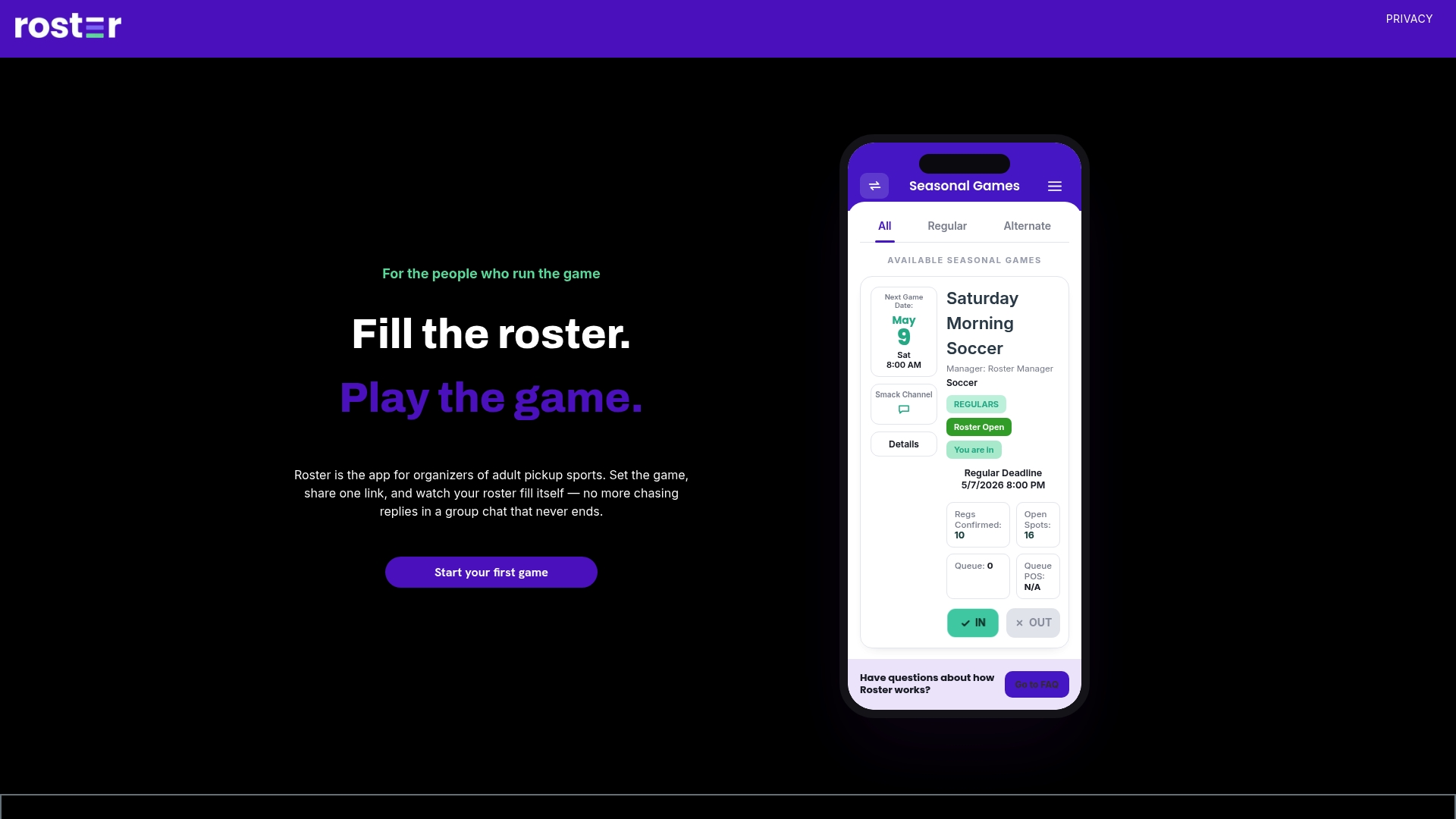
If you are tired of matching bank notifications to names, try Roster for your next game.
FAQ
Can I use Zelle to collect fees from my whole team?
Yes, each player can send their share to one email address or U.S. mobile number, as long as both banks offer Zelle. Zelle moves each payment individually, so you will need your own log of who paid for which game. A payer can cover several people in one transfer, but then the names need to be in the memo.
Does Zelle charge fees for team payments?
Zelle says consumers typically pay no fee to send or receive money, but it recommends confirming with your own bank. Banks set their own transfer limits, so a large season payment may need to be split across days at some banks.
Can I get a Zelle payment back if a player sends it to the wrong person?
Not through Zelle. Payments to an enrolled recipient cannot be canceled or reversed. If the recipient has not enrolled, you can cancel from the activity page, and an unclaimed payment returns after 14 days. Contact your bank immediately in any case.
Does Zelle show which players have paid?
No. Zelle shows individual transfers in your bank history, not a team ledger. Organizers keep a separate log or use an app that ties payments to roster spots, as Roster does for Venmo payments.
Do my players need a special Zelle app?
No. The standalone Zelle app was shut down in 2025. Players use Zelle inside their own bank or credit union's mobile app or online banking, after enrolling with a U.S. mobile number or email.
Sources
- Zelle Help Center
- Are there any fees to send money using Zelle?
- Team Treasurer, Chatham United Soccer
- Zelle Payments, SCSOA
- Zelle FAQ, NASGA
- Zelle: How to send money, U.S. Bank
- Zelle for Business Accounts, U.S. Bank
- Zelle FAQs, Wells Fargo
- Citibank Zelle Terms and Conditions
- How to Split and Request Money with Zelle, Chase
- Zelle App Discontinued guide, Synergent
- Zelle Shuts Down Its Standalone App, Finder
- How to Spot an Unfamiliar Zelle or Payment-App Transfer, SpendSum