

Venmo works well for collecting team payments when you pair it with a clear record of who owes what. Venmo moves the money. It does not tell you who is on the roster, who paid for which game, or who still owes you for last week. For a pickup soccer, basketball or softball game, the winning setup is one place that holds the roster and the payments together, with Venmo as the way players pay. That is what we built Roster to do: one signup link, a live roster with waitlist, and Venmo payment tracking between players and managers.
This guide covers what Venmo can and cannot do for a team, how to set up a Venmo group, the account rules that matter once you collect money regularly, and a routine that stops you from chasing players in the group chat.
TL;DR
- Venmo is free for players to send money from a bank account, debit card or balance, but it only records payments. It does not know who is on your roster (Venmo fees).
- A Venmo Group holds up to 30 people and splits expenses, which suits a small recurring game, not a league with alternates and waitlists (Venmo group setup).
- Venmo's user agreement restricts personal accounts from business or commercial use, so keep payments to friends covering shared costs (Venmo User Agreement).
- Set a simple written rule for due dates, late payments and refunds, and send it before the first game.
- Tie each payment to a roster spot so you always know who has paid. Roster does this from a single shared link.
Table of Contents
- What Venmo does well for a team
- Venmo Groups: how they work and where they stop
- Is there a Venmo team account?
- What Venmo costs and how fast you get paid
- Keep payments private and the roster visible
- A payment routine that stops the chasing
- Where Roster fits
- What changed recently
- Our view on team payments
- Run your next game with Roster
- FAQ
- Sources
What Venmo does well for a team
Venmo is the app most players already have, which is the whole appeal. Nobody needs to download anything new to pay you $8 for the field. Sending money from a Venmo balance, a linked bank account or a debit card costs the sender nothing, and receiving a personal payment is free too. Venmo's fee page lists the exceptions: a payment identified as goods and services costs the receiver 2.99%, and a send-and-receive page says a 3% fee applies when the sender funds a payment with a credit card.
For a weekly pickup game, that means the money side is cheap. The problem is rarely the fee. It is everything around the payment:
- Venmo shows a feed of payments, not a roster. A payment of "$10 field" does not say which game, which week or whether that person had a regular spot or was filling in.
- Players pay late, pay twice, pay for a friend or pay without a note.
- You end up scrolling your own feed and cross-checking a group chat to work out who is square.
That gap between money and roster is where organizers lose their evenings.
Venmo Groups: how they work and where they stop
Venmo introduced Groups in November 2023, and PayPal's announcement named kickball teams and little league groups among the intended uses. If you run one steady group, it is worth knowing the mechanics.
Setting up a group
Per Venmo's setup guide, the steps are:
- Open the Me tab and create a group.
- Name it and pick an emoji.
- Add members, up to 30. People who are not already your Venmo friends have to accept the invite.
- As the creator, you are the group owner by default. You can hand ownership to someone else in Settings.
Members add expenses, and Venmo splits each one equally by default, with amounts you can edit. The group's Pay tab shows who owes what.
Settling up and marking outside payments
Group expenses act as a record of who paid what, according to Venmo's help article on settling up. If someone hands you cash or pays another way, you can mark them as paid through Group summary, then Members, then Mark as paid. That keeps the group's balance honest.
Where a group is not enough
A group fits a stable crew of friends splitting a field booking. It gets awkward when your game works like most adult pickup games do:
- More than 30 people across regulars and subs.
- Alternates who pay for one game only, mixed with regulars who pay for a season.
- A cap on spots. A Venmo group has no concept of "12 spots, 3 on the waitlist."
- Dropouts. When a regular bails Tuesday night, nothing in Venmo opens the spot to the next person.
If your game has a fixed number of spots, you need the roster and the payment to live in the same place. Our post on tracking Venmo payments from players goes deeper on that setup.
Is there a Venmo team account?
No. Venmo's User Agreement allows one personal account per person. It also allows business profiles inside a personal account, and it bars personal accounts from unauthorized business or commercial transactions. Account holders must be U.S. residents (or residents of a U.S. territory), at least 18 or the age of majority in their state, and must use a cellular number they own.
What that means in practice for an organizer:
- Friends covering shared costs is what a personal account is built for. A group of adults chipping in for a field you booked is reimbursement of a shared expense.
- Operating something that looks like a business, such as charging strangers for entry or running a large paid league, is a different category. Venmo's list of prohibited transactions includes business or commercial transactions, and gambling or prize activities with entry fees unless Venmo has approved them.
- Business profiles exist for the commercial case. Per the fee page, receiving payments on a business profile costs 1.9% + $0.10, and Tap to Pay costs 2.29% + $0.09.
Venmo also says it is meant for people you know. There is no buyer or seller protection for ordinary payments in the app. For a pickup game, that is a reason to collect from your own regulars and invited players, not from anonymous strangers who found your game online.
If you are unsure which side of the line your game sits on, read the agreement itself or contact Venmo support. It is the company that decides how your account is treated.
What Venmo costs and how fast you get paid
For most pickup organizers the numbers are short:
| Action | Cost | Source |
|---|---|---|
| Send from balance, bank or debit card | $0 | Venmo fees |
| Send funded by credit card | 3% | Venmo send and receive |
| Receive a personal payment | $0 | Venmo fees |
| Receive a payment marked goods and services | 2.99% | Venmo fees |
| Standard transfer to your bank | $0, typically 1 to 3 business days | Venmo fees |
| Instant Transfer to your bank | 1.75%, minimum $0.25, maximum $25 | Venmo fees |
Venmo says withdrawal requests submitted before 7 PM Eastern on a business day will typically reach your linked bank account the next business day, though checks can cause delays (Venmo helpful information). Payments funded by a bank account may be processed as e-checks that take 3 to 5 business days, according to the User Agreement.
Two timing details trip up organizers. First, a payment request must be accepted by the player before any money moves. A request alone is not a payment. Second, money sent to a phone number or email not linked to a Venmo account is cancelled and refunded if nobody claims it within 30 days. So a player who types the wrong number may think they paid when you have nothing.
Fees and rules change, so check the linked pages for the current numbers before you set a price for your season.

Keep payments private and the roster visible
A common worry is that a Venmo feed shows everyone's business. Venmo lets users set each transaction to Public, Friends or Private, either one by one or as a default in Settings. Amounts are always secret, and when two people have different settings the more restrictive one wins (Venmo helpful information).
For a team, a good habit is to ask players to pay with a private setting and to keep the roster and who-has-paid status in one place that only your players can see. That gives you transparency where it helps (who is in, who is on the waitlist) without publishing everyone's payment history to the internet.
A payment routine that stops the chasing
Most payment trouble comes from vague expectations, not bad players. Here is a routine that works for a pickup group.
1. Decide the model before the first game
Choose whether you charge per game or per season, and whether alternates pay a different amount. Our comparison of season dues versus drop-in fees walks through which model suits which kind of game. If you are not sure what to charge, start from the real cost of the field: what it costs to run pickup soccer uses an $85-an-hour turf example, and splitting field costs fairly shows how to divide it.
2. Write the rules in three lines
Say when payment is due, what happens if someone is late, and what the refund rule is if someone drops out. Put it in the signup description and the first message. Players accept a rule they saw before they joined much more easily than one you invent after a missed payment.
3. Give people one way to pay
One handle, one note format (for example, "Tue soccer, Nov 18"), one deadline. Every extra option multiplies the cross-checking you do later.
4. Remind privately and early
A direct message a few days before the deadline, one on the day, and one shortly after is enough for nearly everyone. Never shame anyone in the group chat. Public reminders create awkwardness and rarely collect faster.
5. Keep a record that tells you who paid for what
Your Venmo feed is a history of payments, not a ledger. Keep a simple record of each player, what they owe, what they paid and what is left. A spreadsheet works for a small group, and a tool that links payments to roster spots does it for you. If you do keep your own record, put it somewhere other people can reach, so the whole thing does not live in one phone.
Players who are also parents of young athletes often track all this spending across seasons. If that is you, a guide on football recruiting costs and scholarships shows how families think about budgeting for sport.
6. Handle dropouts and refunds by rule, not by mood
Set the cutoff in advance. For example: drop out before the deadline and your spot goes to the waitlist, and you are refunded. Drop out after and you pay unless someone takes your spot. When the next person on the waitlist fills the vacancy, refunding the first player is easy to justify. Without a waitlist, you are left deciding case by case.
Where Roster fits
The routine above is where Roster takes work off your hands. You set the game details and share a single link. Players sign up through it, so there are no RSVPs to chase across a group chat. Roster fills open spots in real time and keeps a waitlist, so when someone drops, the next person is ready. It also handles regulars and alternates, game and season scheduling, group chat, and Venmo payment tracking between players and managers.
The result is that the roster and the money are in the same place. You see who is in, who is on the waitlist and who has paid, instead of reconstructing it from texts and the Venmo feed. For the longer version of this workflow, see how to collect game fees without chasing anyone and one signup link for cashless pickup games.

What changed recently
Two updates are worth knowing. Venmo's account agreement, listed in the Consumer Financial Protection Bureau's database, had its most recent effective date on August 24, 2026, so read the current version before you write payment rules that quote it. And a 2024 federal rule that would have brought large payment apps under CFPB supervision took effect on January 9, 2025, but Congress repealed it, as the Congressional Research Service explains. For an organizer, nothing about how you collect from friends changes because of it.
Our view on team payments
Most organizers do not quit because of the game. They quit because of the admin around it: who said yes, who is on the waitlist, who paid, and who is going to ask again in the group chat.
Venmo is a good way for players to pay, and players already know it. What it cannot do is hold your roster. When the signup list is in one place, the payments in another and the conversation in a third, you become the spreadsheet.
That is why we built Roster around a single link. You set the game, share it, and the app fills spots in real time, keeps the waitlist and tracks Venmo payments between players and managers. We want you to spend your week playing and organizing the next game, not reconciling texts.
The best result is less time on your phone and more time on the field with people you actually see.
Daniel
Run your next game with Roster
If you are tired of piecing together RSVPs, spots and Venmo payments, Roster is built for adult pickup organizers. Set up your game, share one link and let the roster fill itself.
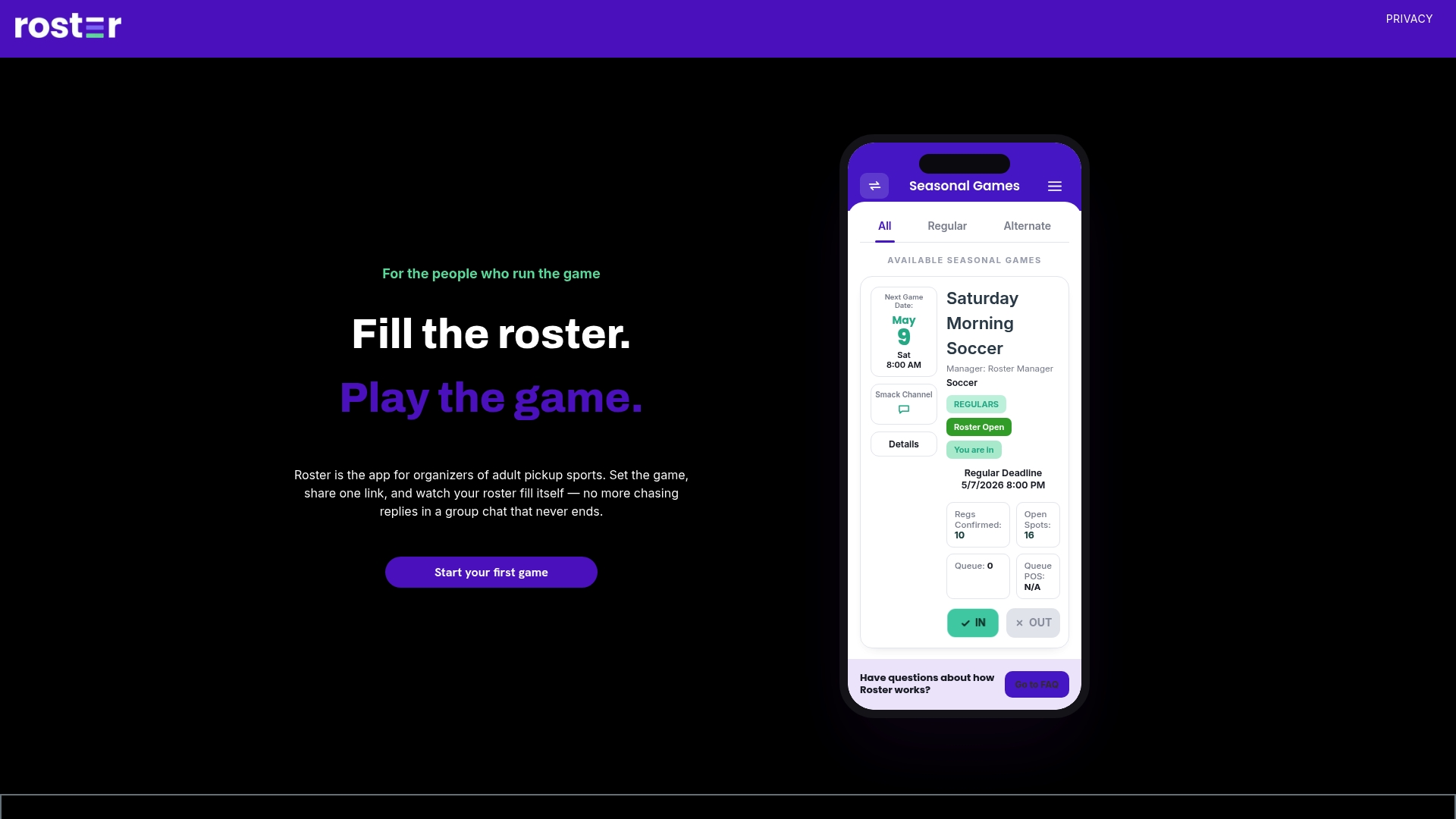
Try Roster for your next game and keep your roster, waitlist and payments in one place.
FAQ
Can I collect team dues on my personal Venmo account?
Friends reimbursing a shared cost is what a personal account is designed for. Venmo's User Agreement bars personal accounts from unauthorized business or commercial transactions, so keep it to people you know and read the agreement if your game grows into something larger.
How many people can be in a Venmo group?
A Venmo group holds up to 30 members. People who are not your Venmo friends must accept the invite before they join. If your roster plus alternates exceeds that, you need a way to manage signups outside a single group.
How do I record a player who paid in cash?
In a Venmo group, open Group summary, then Members, then Mark as paid. That updates the group's record. Whatever tool you use, record cash the moment it changes hands so your list of who paid stays accurate.
Does Venmo charge players to pay me?
No, not for ordinary payments. Sending from a balance, bank account or debit card is free, while a credit card adds 3%. You pay a fee only if a payment is marked as goods and services (2.99%) or if you choose Instant Transfer to your bank (1.75%, between $0.25 and $25).
Sources
- Venmo fees
- Venmo send and receive
- Venmo User Agreement
- Venmo helpful information
- Venmo setting up a group
- Venmo settling up group expenses
- PayPal: Introducing Venmo Groups
- CFPB prepaid account agreement database: Venmo
- Congressional Research Service on the repealed CFPB rule