

A pickup game waitlist is an ordered list of players who wanted a spot after the roster filled, and who move in automatically when someone drops. Run well, it fills empty spots without a single "anyone free tonight?" text. The best version is the one the organizer never has to touch: players sign up through one link, the roster caps itself, and the next person in line is offered an open spot right away. That is how Roster is built, and the rest of this article gives you the rules to run it well.
TL;DR
- A waitlist holds overflow signups in a clear order and fills dropouts in turn, so you stop chasing replacements by text.
- Default to first come, first served, write the rule down, and show it before anyone joins.
- Give the next player a short, stated window to accept. Shorten it as game time gets closer.
- Let players see the roster and their place in line. Transparency prevents most arguments.
- Automating the fill-in is what saves your time. Roster does this from a single shared link.
Table of Contents
- What a pickup game waitlist does
- Why group chats make waitlists fail
- Set the order rule before the first game
- Regulars, alternates and the waitlist
- How to offer an opened spot
- What players should be able to see
- Handling dropouts, no-shows and last-minute changes
- Tools for managing pickup RSVPs and waitlists
- How Roster runs the waitlist for you
- Try it for your next game
- Our perspective
- FAQ
- Sources
What a pickup game waitlist does
Every organizer of a weekly soccer, basketball, volleyball or softball game knows the pattern. You need ten players. Fourteen say "maybe" in the group chat. Two drop out the morning of the game, one stops replying, and you spend the afternoon scrolling to figure out who actually confirmed.
A waitlist fixes the part of that pattern that costs the most time: the gap between a spot opening and a new person filling it. It does three jobs:
- Caps the roster. Once the game is full, extra interest goes into a line instead of overcrowding the field or leaving you guessing.
- Orders the line. Everyone knows who is next, so nobody feels skipped.
- Fills dropouts. When a confirmed player backs out, the next person is offered the spot.
Use a waitlist whenever interest regularly exceeds the number of spots, or whenever dropouts leave you scrambling. A game that only ever has eight people for a ten-person format needs a different fix: recruiting, not queueing. But if your game fills even occasionally, a waitlist turns that popularity into a reliable game instead of a headache.
Why group chats make waitlists fail
A group chat can hold a waitlist in theory. In practice it breaks in predictable ways:
- The list lives in someone's head. "I think Marcus was next" is not a system.
- Replies bury each other. A dropout message at 9 a.m. is lost under forty reactions by noon.
- Fairness is invisible. Players cannot see the order, so every pick looks like favoritism.
- You are the bottleneck. Every change routes through you.
The fix is not a better chat habit. It is moving the roster out of the chat and into one place where status is always current. If you want to go deeper on the no-show side, our pickup game RSVP checklist walks through six steps for cutting flaky signups.
Set the order rule before the first game
The most important decision is how the line is ordered. There are several defensible answers: join order, best fit for the roster, named priority groups such as regulars, or a random draw. The one thing that is not defensible is having no rule at all, because players read an unexplained pick as favoritism.
For most pickup games, we recommend this default: first come, first served, by the time each person joined. It is the simplest order to explain and the hardest to argue with. If you want to give regulars priority over drop-ins, that is fine too, as long as the rule is stated up front and applied every time.

Write the rule in one or two sentences
Post it where players sign up. For example:
Spots go in the order people join. When someone drops, the next person on the waitlist gets the spot and has two hours to confirm. Regulars on the season roster keep their spots.
That short paragraph answers nearly every complaint before it happens. Publishing the rule in advance matters more than which rule you pick, since a rule players could read beforehand is hard to dispute later, while one invented after a disagreement looks like a thumb on the scale.
Keep strict order
Strict order means nobody is leapfrogged. One practical wrinkle from event waitlists applies to team sports as well: if the next person in line needs a spot for a friend and only one spot is open, the list stops at the first party that no longer fits rather than skipping ahead to someone smaller. For pickup, the simplest policy is one spot per signup, which removes the problem entirely.
Regulars, alternates and the waitlist
Many adult leagues and weekly games have two kinds of players: regulars who commit to a season, and alternates who fill in game by game. A good waitlist respects the difference.
| Player type | What they commit to | How the waitlist treats them |
|---|---|---|
| Regular | A spot for the season | Holds a roster spot every game unless they opt out |
| Alternate | Showing up when a spot is open | Gets offered spots as regulars drop, in line order |
| Waitlisted newcomer | Interest in joining | Moves up as spots open and can be offered a regular or alternate spot |
Roster is designed around exactly this split. Managers set game details once, and the app manages regulars and alternates, tracks roster spots and keeps a waitlist for dropouts, so you do not have to rebuild the lineup by hand each week.
How to offer an opened spot
When a spot opens, three questions decide whether the waitlist actually fills your game: who gets told, how long they have, and what happens if they ignore it.
Who gets told
The next person in line, and only them, unless you are filling several spots at once. Notifying the whole list at once turns the fill into a race and brings back the arguments the waitlist was supposed to end.
How long they get to respond
Pick a window and state it. Event organizers commonly use claim windows from 12 to 48 hours for events weeks away, but a pickup game is different: it happens this week, sometimes tonight. A sensible approach, adapted from how event waitlists shorten windows as the date nears:
| Time until the game | Suggested response window |
|---|---|
| More than three days | 12 to 24 hours |
| One to three days | A few hours |
| Game day | 30 to 60 minutes |
These are our working suggestions for casual games, not a standard. The principle behind them is sourced: shorten the window as the event approaches, and keep it short enough that an unanswered offer cannot sink the game.
What happens if they decline or go silent
The offer moves to the next person. Say so in your rule, so a missed notification is not a grievance. Players who decline stay on the list unless they ask to leave.
What players should be able to see
Transparency is the cheapest fairness tool you have. Players should be able to see:
- The roster: who is in, so nobody has to ask the organizer.
- The count: spots filled and spots total, so a full game does not feel arbitrary.
- The waitlist and their own position, so waiting feels like progress.
- The rule: how openings are filled and how long a player has to respond.
- What joining means: being on the list reserves a place in line, not a spot. Say it plainly, because the fastest way to sour a waitlist is letting people believe they already hold a spot.
For a deeper look at etiquette on both sides of the line, see our guide to pickup waitlist etiquette for organizers and players.
Handling dropouts, no-shows and last-minute changes
A waitlist is the front line against late changes, but a few habits make it work better.
Ask for confirmations close to game time. A short reminder the day before lets people release their spot while there is still time for the waitlist to refill it.
Make dropping easy. If canceling takes a text to the organizer, people will skip it and simply not show. A one-tap way to leave the roster gives the next player on the list time to plan.
Decide in advance what a late cancel means. If your game has a cutoff, state it. If someone cancels after it, the rule might be that they stay off the next game's waitlist, or simply that the spot is still offered down the line.
Have a plan for a game that will not fill. Sometimes the waitlist is empty and you are short. Our guide to filling dropouts fast with one message covers that case, and if you need to call the game off, here is how to cancel without losing your roster.

Keep a simple record
If you ever have to explain a decision, a short note of each offer helps: who, when, what was offered, and what happened. A log of this kind is evidence that you applied the rule consistently. An app that tracks the waitlist keeps that history for you.
Tools for managing pickup RSVPs and waitlists
Organizers generally manage this in one of four ways. Here is how they compare on what matters for a weekly game.
| Approach | Who keeps the list current | Waitlist order visible to players | Fills dropouts automatically |
|---|---|---|---|
| Group chat | The organizer, by memory | No | No |
| Shared spreadsheet | The organizer, by hand | Sometimes | No |
| General event-ticketing tools | The organizer, with setup | Sometimes | Varies, and built for tickets rather than weekly games |
| A purpose-built pickup app | The app | Yes | Yes |
The last row is why we built Roster for adult pickup organizers specifically. Weekly games have recurring rosters, alternates and a fair amount of social context that a ticketing tool does not capture.
What to look for in a pickup app
If you are comparing apps, these are the features that save organizers the most time:
- One shared link for signups, so there is no account juggling or chat scrolling.
- Real-time roster counts that update as people join or drop.
- An automatic waitlist that offers open spots in order.
- Support for regulars and alternates, including full seasons.
- Built-in messaging so game updates stay attached to the game.
- Payment tracking so you know who has paid you without a separate spreadsheet.
Roster covers each of these: it automates game and season scheduling, manages real-time signups for regulars and alternates, tracks roster spots and waitlists, offers group chat, and tracks peer-to-peer Venmo payments between players and managers.
How Roster runs the waitlist for you
Here is the whole routine, with what Roster does at each step.
- Set the game details. Day, time, location and number of spots. You enter them once.
- Share one link. Players sign up through it. There is no RSVP tracking on your side, which is the point.
- The roster fills in real time. Roster tracks the open spots as people join.
- Extra signups join the waitlist. Once the game is full, the app creates a waitlist so interest is not lost.
- Dropouts are filled automatically. When someone leaves, Roster fills the open spot from the waitlist, so you are not the messenger.
- Everyone sees the same thing. The roster is the source of truth, so the group chat can go back to being a place for jokes.
To see the mechanics in more detail, read how waitlist auto-fill works. If you want to vet who joins before they take a spot, there is also a six-step guide to manual RSVP approvals.
Try it for your next game
If you run a weekly pickup game and spend more time managing the roster than playing, Roster is made for you. You set up the game, share one link, and the app handles signups, the waitlist and fills for dropouts, so your attention goes to the game and the people in it.
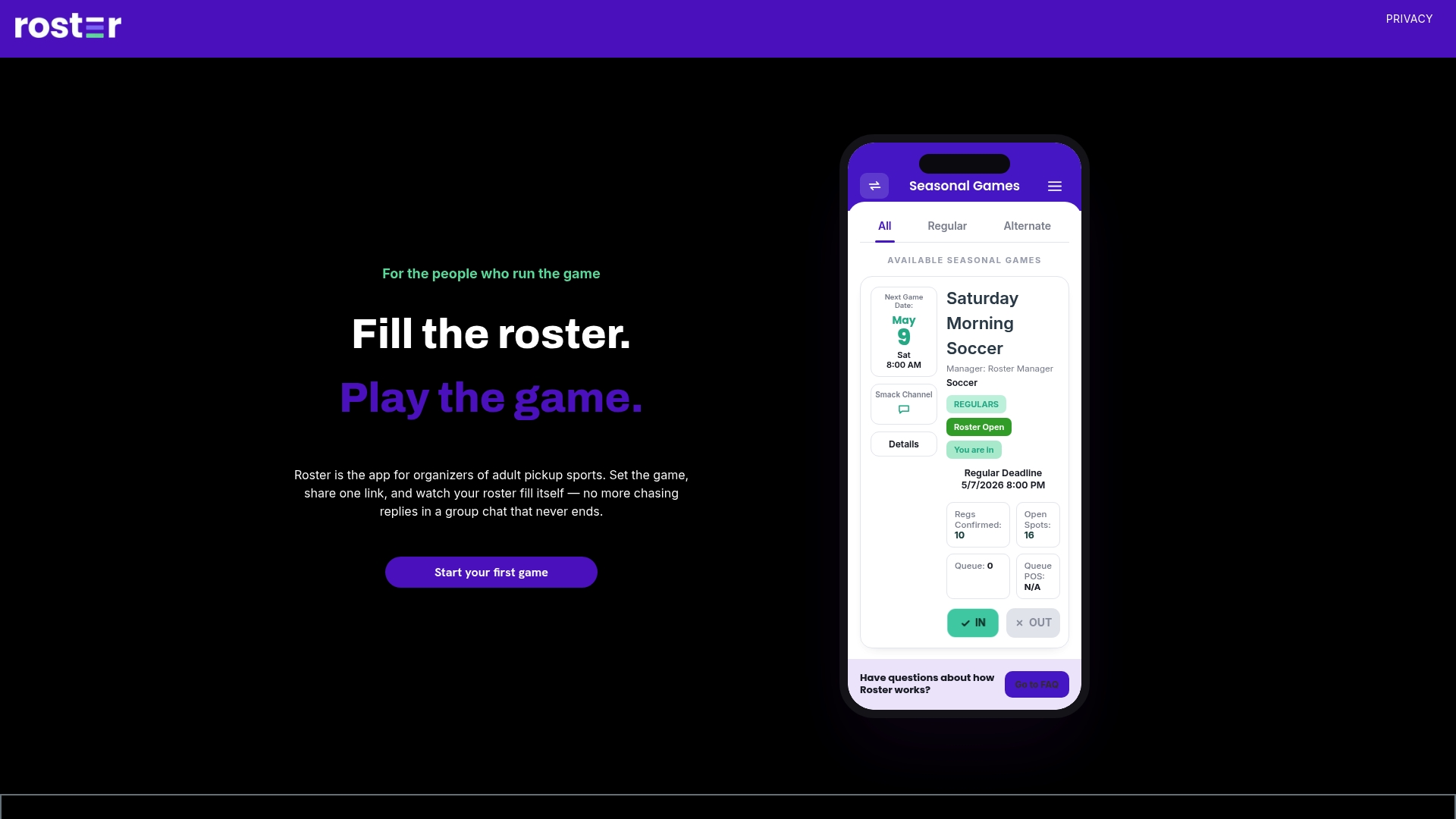
Set up your next game at Roster.
Our perspective
We built Roster because the hardest part of organizing a pickup game is rarely the game. It is the three days of texting before it. Every organizer we talk about this with describes the same routine: count the yeses, chase the maybes, replace the dropouts, and answer the same "am I in?" question six times.
We think the waitlist is the most underrated tool in that routine. It turns a drop from a crisis into a non-event, because someone is already waiting and the app already knows who is next. And because players can see the roster, the arguments about who got picked mostly disappear.
There is a second reason we care. Group chats pull people toward their screens. A shared link and an automatic roster mean the organizing takes minutes, and the time left over goes to showing up and playing with people in person. That is what a pickup game is for.
Daniel
FAQ
What is a pickup game waitlist?
It is an ordered list of players who signed up after the roster filled. When a confirmed player drops out, the next person on the list is offered the open spot. It keeps games full without the organizer texting around for replacements.
How should I order a pickup waitlist?
First come, first served by signup time is the simplest default and the easiest to defend. If you give regulars priority, write that rule down and show it before anyone joins. What matters most is applying the same rule every time.
How long should a player have to accept an open spot?
Match the window to how close the game is. A day or more gives a player plenty of time, while on game day, 30 to 60 minutes keeps the game on track. State the window in your rule so a missed offer is not a surprise.
Is there an app for pickup games?
Yes. Roster is an app for adult pickup organizers. You set the game details, share one link, and it manages signups, regulars and alternates, the waitlist and Venmo payment tracking. It also fills open spots from the waitlist when someone drops.
Do players need to pay Roster to join a game?
No. Players use the shared link to sign up and follow the game. Their only financial relationship is with their manager, who handles any payments through the app's Venmo tracking.
Sources
- Waiting Lists for Sold-Out Events: A Plain-English Guide
- Event Waitlist for WordPress: What to Do When You Sell Out
- The Event Waitlist Playbook: Setup, Batches & Conversion