
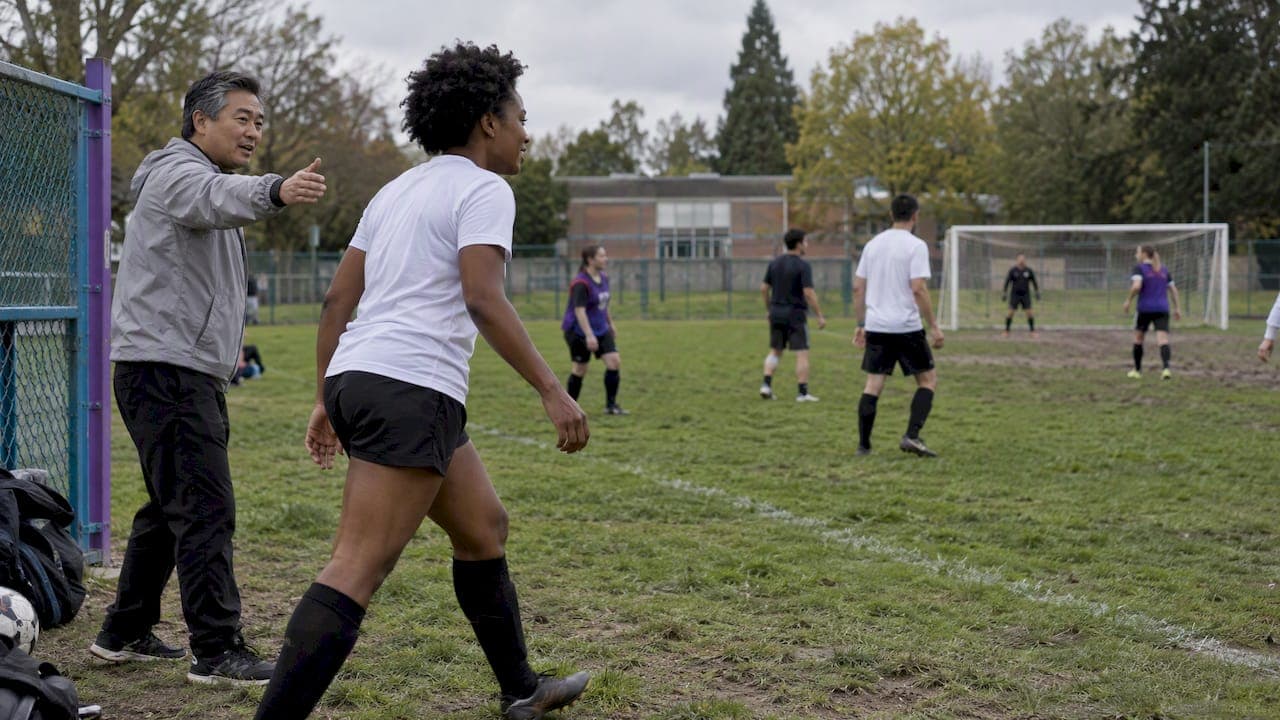
Waitlist auto-fill means that when a rostered player drops out, the next person in line is offered the open spot automatically, with no organizer typing "anyone free tonight?" into a group chat. The system handles three jobs: it keeps a waitlist in order, it tells the next person a spot opened, and it moves them onto the roster once they say yes. If you run a weekly pickup soccer, basketball, volleyball or softball game, those three jobs are most of your logistics headaches. Below is how auto-fill works, what rules to set so it feels fair, and how to explain it to players.
TL;DR
- Auto-fill replaces manual backfilling: a cancellation opens a spot, the first person on the waitlist is notified, and the spot is theirs once they confirm.
- Fairness comes from one rule applied the same way every time: waitlist in the order people signed up, and offer the spot to the first person in line.
- Set a response window that fits how close the game is. A day works for a game a week away. It is far too long for a game that starts in three hours.
- Tell players the rules once, in the game description, so no one has to ask you in a private message.
- Roster automates this for adult pickup games: share one link, and open spots fill in real time with a waitlist behind them.
Table of Contents
- What waitlist auto-fill actually does
- Two ways auto-fill can work
- How to set fair waitlist rules
- How long should a player have to respond?
- Notifications: what players need to know and when
- What to tell players before the first game
- Setting up an auto-fill waitlist for a pickup game
- Auto-fill versus the group chat
- Our perspective: the waitlist is a trust tool
- Filling spots with Roster
- Common mistakes to avoid
- FAQ
- Sources
What waitlist auto-fill actually does
A waitlist is a queue for a game that is already full. Without automation, you are the queue. Someone texts "I can't make it," you scroll back through the chat to see who asked to be on the list, you message them, wait, message the next person if they don't answer, and update the headcount by hand.
Auto-fill takes you out of that loop. The sequence looks like this:
- The game fills up. Anyone who tries to join after that lands on the waitlist instead of being turned away.
- A rostered player cancels. The spot opens.
- The next person in line is notified. Depending on the setup, they either get the spot immediately or get an offer to claim it.
- The spot is filled. The roster count goes back to full, and the waitlist shrinks by one.
- If nobody claims it, the offer moves down the line.
The reason this matters for sports in particular is timing. Appointment and class booking tools use waitlists too, and their top-ranking help pages describe the same basic idea: the waitlist fills the gap when a confirmed person cancels. But a pickup game has a hard, short deadline and a minimum number of bodies. A 5-a-side game with four people is not a game. Speed of replacement is the whole point.
Two ways auto-fill can work
Not every system treats the offered spot the same way. Understanding the difference helps you pick rules that match your group.
Instant placement
The first person on the waitlist is moved straight onto the roster and told about it. This is the fastest option and works well for free, casual games where a player who joined the waitlist has already said "I want to play." The downside: someone who joined the waitlist two days ago may have made other plans, and now they are on the roster without having confirmed.
Offer and claim
The next person gets a notification and must confirm before the spot is theirs. Event platforms that handle paid registration often work this way. For example, Bevy's help center explains that for paid events, a waitlisted person has to select Claim Your Spot and finish registration before the claim window ends, and that the default window is one day, which organizers can change. That makes sense when money has to change hands. For a free pickup game, a confirm step still protects you from phantom players, but the window needs to be much shorter.
Neither approach is better in every case. Instant placement suits a regular weekly game where everyone on the list is a known face. Offer and claim suits larger groups, newer players, or games where a no-show costs real money, like a rented field or gym.

How to set fair waitlist rules
Players rarely complain about a waitlist. They complain about a waitlist that seems to have been bent for someone. The best protection is a rule simple enough to say in one sentence, and the same for everyone.
Go in order of sign-up
The cleanest rule is first come, first served. Organized sports bodies follow it too. The Professional Disc Golf Association's guidance for tournament directors says waitlists should be created in registration order, and the director must promote the first person from the appropriate waitlist. It also notes that promoting someone else breaks its Competition Manual rule 1.02.C. A weekly pickup game is not a sanctioned tournament, but the principle carries over: if you skip the person at the top, you have to explain why, and every explanation sounds like favoritism.
The same guidance points to a second idea worth borrowing. When a sport has separate caps or divisions, it keeps separate waitlists for them. For pickup, that translates to a few common cases:
- Goalkeepers or specific positions. If you need two keepers, a keeper waitlist makes sense, so a spot meant for a keeper does not go to a fourth striker.
- Mixed or gender-balanced games. If the game has a required balance, keep a list for each group.
- Regulars versus alternates. Many groups have a core of committed players and a pool of fill-ins. Decide which group gets first call and write it down.
Decide where regulars fit
Here is the honest tension in most pickup groups: your regulars show up every week and keep the game alive, and it feels wrong for a stranger who signed up two minutes earlier to bump them. There are two clean ways to handle it.
- Regulars are rostered by default each week. They hold their spot unless they opt out, and the waitlist only applies to the remaining open spots.
- Everyone competes by sign-up time. Simpler, but regulars need to sign up fast.
Pick one. Mixing them week to week is what creates arguments.
Set a cancellation cutoff
The worst waitlist moment is the 20-minute-before-kickoff cancellation. Nobody can reasonably fill it, and the group is left short. Many organizers set a point, say 24 hours before the game, after which a cancellation is treated differently: the player still tries to find their own replacement, or the group expects them to reply to the chat. Whatever cutoff you choose, state it in the game details. Our guide on how to reduce no-shows in pickup games goes further on setting expectations early.
How long should a player have to respond?
There is no official standard for pickup. Event platforms set their own windows: Bevy's default, as noted above, is one day for paid events. That tells you what a sensible ceiling looks like for something scheduled well ahead. What you need is a window that shrinks as the game gets closer.
A practical way to think about it:
| Time until the game | Reasonable response window | Why |
|---|---|---|
| More than 3 days | Several hours up to a day | Plenty of time for the next person to be offered |
| 1 to 3 days | A few hours | Leaves room to try several people |
| Under 24 hours | 30 to 60 minutes | People are already planning their day |
| Under 3 hours | 10 to 15 minutes, or instant placement | The game is about to start |
These are our working suggestions, not a rule from any league. Adjust them to your sport and your group. The logic is what matters: the window has to leave enough time to offer the spot to several people and still start with a full roster.
Notifications: what players need to know and when
A waitlist is only as good as the message that tells someone their turn came. A good notification has four parts:
- The game: sport, date, time and location, so it makes sense at a glance.
- What happened: a spot opened and they are next.
- What to do: a single tap to accept, ideally.
- The deadline: how long they have before it passes to the next person.
Keep it short. A push notification or text that requires logging in, finding the game and hunting for a button will lose the spot to the next person in line. The less friction between "a spot opened" and "I'm in," the more often auto-fill works the first time.
On the player side, tell people to turn on notifications for the app. A waitlist that notifies by a channel the player never checks is the same as no waitlist.
What to tell players before the first game
Most waitlist friction is a communication problem. Put the rules where players see them when they sign up. A short block in the game description does the job:
- The game holds a set number of players. After that, sign-ups go on the waitlist in the order they arrive.
- If a spot opens, the next person on the list is notified automatically and has a set amount of time to accept.
- If you cannot make it, cancel in the app as early as you can so the spot can be filled.
- Cancellations after the cutoff are your responsibility to replace, or may count against you.
- Regulars and alternates are treated like this: (your rule).
Five lines, posted once, save dozens of private messages. If your group runs multiple teams or nights, the same principle applies; our piece on multi-team scheduling covers keeping admin low across several games.
Setting up an auto-fill waitlist for a pickup game
The exact steps depend on the tool, but the setup decisions are the same everywhere. Work through them in this order:
- Set the roster size. Include the minimum needed to play and the maximum you can fit. Waitlist spots only exist past the maximum.
- Decide on regulars and alternates. Who is guaranteed a place, who fills in?
- Choose instant placement or offer and claim. Free games with known players can go instant. Anything with money or a rented space should ask for confirmation.
- Set response windows that tighten as game time approaches.
- Write the rules in the game description.
- Share one link. Everyone signs up the same way, so the order is clear and nobody can claim they were told something different in a side chat.
- Check the list before game day. A quick look 24 hours out tells you whether the roster is solid.
If your game recurs weekly, build this once and reuse it. Our five-step template workflow for recurring game scheduling shows how to avoid rebuilding the same game every week.
Auto-fill versus the group chat
Plenty of organizers get by with a group chat, and for a small, tight group it can work. It breaks down in predictable places:
- The order is invisible. If three people say "I'm in" within a minute, who was first? Someone has to scroll and decide.
- Messages get buried. A cancellation at 4 p.m. is lost under a debate about cleats.
- You are the single point of failure. If you are in a meeting when the dropout happens, nobody fills the spot.
- Players get notified about everything. They mute the chat, and then miss the one message that mattered.
Automation fixes these by making the list the source of truth, and the order a matter of record. It also shortens the time between a dropout and a replacement, which is the number that decides whether you play with a full side. For a hands-on approach when you still need a manual push, see how organizers fill dropouts in five minutes with one message.
Our perspective: the waitlist is a trust tool
We built Roster for people who run adult pickup games, and the pattern we keep coming back to is this: organizers do not burn out on the games. They burn out on the tracking. Counting who is in, chasing who is out, finding a replacement at the last minute. Most of that is mechanical, and it should be done by software, not by the one person who is already hauling the cones and the ball.

So we think of a waitlist as more than a convenience. It is how a group decides, in advance and in public, how spots get handed out. When the rule is visible and applied by the app instead of by you, you stop being the person who picks favorites. Players see who is on the list and where they stand. That transparency does more for a group's goodwill than any pep talk.
Our advice is to keep it boring. Pick first come, first served. Tell people the rule once. Let the system do the offering. Then spend the energy you saved on the thing you wanted to do in the first place: play.
— Daniel
Filling spots with Roster
Roster is a mobile app for organizers of adult pickup sports. You set the game details and share a single link. Players sign up through it, open spots fill in real time, and if someone drops out, the waitlist moves up so you are not chasing replacements. It also handles regulars and alternates, season and game scheduling, group chat, and Venmo payment tracking between players and managers. You can see how it works and get the Roster app on our site.
Common mistakes to avoid
- Changing the order quietly. Even a well-meant exception becomes a story. If you must make one, announce it and say why.
- Windows that are too long. A 24-hour claim window on a game that starts tonight is a game with an empty spot.
- No cutoff. Without a deadline, last-minute dropouts are free for the player and expensive for the group.
- Letting guests bypass the list. Plus-ones are a classic source of chaos. Our guide to guest invite tracking shows how to keep them visible.
- Never vetting new players. If your group needs a gate, manual RSVP approvals let you check people before they take a spot.
FAQ
Is it "waitlist" or "wait list"?
Both appear in American English. "Waitlist" as one word is now the common form in app and software contexts, and as a verb too ("you've been waitlisted"). Choose one and stay consistent in your game descriptions.
How does a waitlist work when someone cancels?
When a rostered player cancels, the open spot goes to the first person on the waitlist. They are either placed on the roster right away or notified and asked to confirm within a set time. If they do not respond in time, the spot moves to the next person in line.
How long can someone stay on a waitlist?
For a pickup game, as long as the game has not started. The list usually closes at game time, and in a recurring game you decide whether waitlisted players carry over to the next week or must sign up again. State that in your rules so nobody assumes a standing place.
How can a player improve their chances of getting off a waitlist?
Sign up early, since order is what counts, turn on notifications, and respond fast when an offer arrives. Being flexible about position or team can also help if the organizer keeps separate lists.