
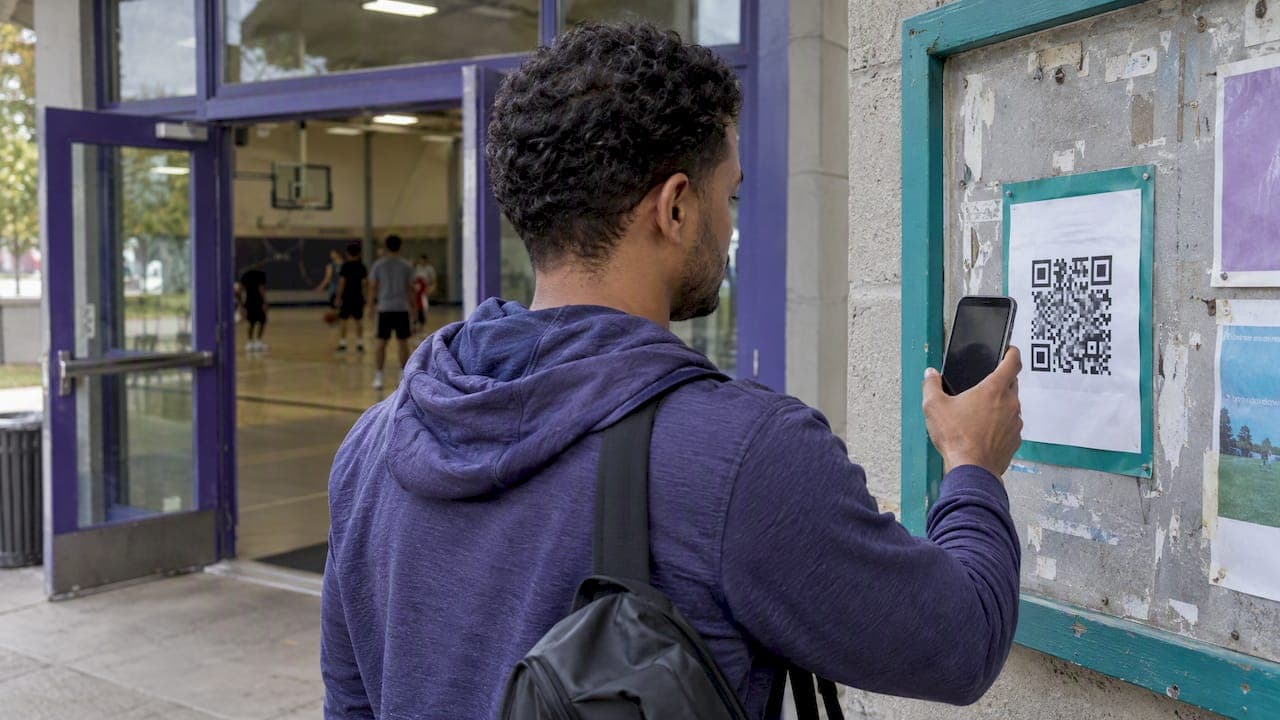
A QR code signup works when it points to a live signup link that shows how many spots are left. Copy that link into a QR generator, print the code, test it on two phones, and make sure the page behind it handles duplicates, cancellations and a full roster. The code is only a doorway. What it opens decides whether your game fills.
This guide is for organizers of adult pickup soccer, basketball, volleyball and similar games. It covers what to link to, how to print a code that scans, how to prevent duplicate signups, and what to do when the game hits capacity.
TL;DR
- A QR code is just a link in picture form. Generate it from one signup URL, then test the printed version on at least two phones.
- Link to a page that shows spots left and takes a name in under a minute. Long forms lose people.
- Prevent duplicates with one identifier (email or phone), a clear "you're in" confirmation, and a single source of truth for the roster.
- Use a code that can be redirected, or a link that handles the waitlist itself, so a full game doesn't send people to a dead end.
- Only scan and post codes you made yourself. Scammers swap QR codes on public signs.
Table of Contents
- What a QR code signup actually does
- Step by step: from signup link to printed code
- What the page behind the code should collect
- How to prevent duplicate signups
- Do players need an account?
- When the game fills up or someone drops out
- Perspective: the code is the easy part
- Using Roster behind your QR code
- Keep your QR code safe
- A quick pre-game checklist
- FAQ
- Sources
What a QR code signup actually does
A QR code encodes a web address. When someone points a phone camera at it, the phone offers to open that address. Nothing else happens. The code does not track players, count spots or stop anyone from signing up twice.
That means two decisions matter more than the code itself:
- Where it points. A text thread, a spreadsheet, a form or a game page each behave very differently once twenty people use them at once.
- Where it appears. A code on the field fence, the pinned message in your group chat, a flyer at the bar after the game, or a slide at a league night all reach different people.
For a recurring pickup game, the best place is usually the spot where new players already are: the field. Regulars are already in your chat. The people who don't know the game exists are the ones walking past it on Tuesday night.
Step by step: from signup link to printed code
The workflow is the same whichever tool hosts your signup. GetQR's registration guide describes it as copying a public signup link, pasting it into a QR generator, downloading the code and testing the printed version before you hand it out.

1. Start with one public link
Pick one URL that works without an app download or a login for a first-time visitor. Open it in a private browser window, on cellular data, with no saved logins. If it asks you to sign in, a stranger will bounce.
Keep the game details on that page: day, time, field address, surface or court type, skill level, and how many players you need. A player scanning from a sidewalk wants to decide in ten seconds.
2. Generate the code
Any reputable QR generator will turn the URL into an image. Download it at high resolution or as a vector file (SVG or PDF), not a screenshot. A blurry code is the number one reason a printed code fails.
3. Follow the print basics
GetQR recommends a dark code on a light, solid background, a clear blank border around it (the quiet zone), and a size that suits the scanning distance. In practice:
- Black on white beats any brand-color combination. Skip logos in the middle unless you test them.
- Leave a visible margin. Don't crowd the code against text or a photo.
- Make it bigger when people will scan from farther away. A code on a fence post read from five feet needs to be much larger than one on a business card.
- Put a short line above it: "Scan to join Thursday 7-a-side, 8 spots open." People scan codes more readily when they know what they get.
4. Test like a skeptical stranger
Print a sample at the real size. Scan it with at least two different phones, ideally one iPhone and one Android, in the lighting where it will hang. Then complete a test signup and check that the page loads on a small screen, the submit works and your roster updates. GetQR also advises testing before wide distribution, and this is the step most organizers skip.
5. Post it where it will be seen
Good placements for pickup games:
- The pinned post or description of your group chat, so new members can join without asking you
- A laminated sheet at the field or court entrance
- A flyer at the local gym, climbing wall, bar or running store
- A slide or photo at the end of a league night
- A reply when someone asks "is there room this week?"
For more on getting the word out without chasing people, see our organizer checklist for promoting pickup games.
What the page behind the code should collect
Short beats thorough. For a casual game you need to know who is coming and how to reach them if the game moves. That means:
- Full name, so the roster is readable to everyone
- A phone number or email, for day-of changes (pick one to start)
- Optionally, position or skill level if teams get balanced
Resist asking for more. Every extra field is another reason for a first-time player to close the tab. If you need emergency contact details, collect them once, separately, rather than at every signup. Our one-page emergency contacts setup shows how.
If you already use a form to collect RSVPs, our Google Forms templates for sports RSVPs give copy-ready fields you can put behind a QR code today.
How to prevent duplicate signups
Duplicates happen for ordinary reasons. A player scans, the page is slow, they aren't sure it worked, and they submit again. Or a friend signs up "for both of us" and then the friend signs up too. Or someone signs up from the chat and again from the flyer. Left alone, your 12-player game shows 15 names and nobody knows who is real.
Pick a unique identifier
The common fix is to treat one field as unique: email address or phone number. A second submission with the same value is blocked or flagged. Most form builders offer some version of this, and it works well for individuals.
Watch the edge cases:
- Couples and roommates may share an email or phone. Decide whether that's allowed.
- IP-address or browser checks are weaker. They can be bypassed, and they can wrongly block several people on the same Wi-Fi, such as a team arriving together at a bar.
- Typos create "different" emails that are really the same person. A name check by eye is still part of the job.
Confirm clearly
Much duplication is just uncertainty. After the player submits, show a plain message with their status: "You're in" or "You're on the waitlist, position 3." A page that simply goes blank invites a second tap.
Keep one roster
The deeper fix is structural. Duplicates multiply when signups land in several places: a spreadsheet, a chat, a DM and a notes file. One link, one list, and everyone sees the same thing. That is why we built Roster around a single shared link instead of a thread of replies.
Do players need an account?
For the first signup, ideally not. Every login wall cuts conversions, and a new player on a sidewalk won't create an account to join a free-for-all Thursday game. A name and one contact method is a fair trade.
The privacy side deserves a sentence of care. You are collecting names and phone numbers from people who trust you. Only collect what you use, don't paste contact details into public chats, and don't share the list with outsiders. If your signup page lets anyone see the full roster with contact information, that is more exposure than most players expect.
When the game fills up or someone drops out
A printed code lives for months. Your game fills in a day. Plan for both.
There are two ways to handle it:
- A redirectable code. GetQR notes that a dynamic QR code can later point to a new form, a waitlist or a registration-closed page without reprinting the physical code. Handy, but you still run the waitlist by hand.
- A link that handles capacity itself. The page shows the spot count, accepts players until the roster is full, then switches to a waitlist automatically. When someone drops, the next person moves up.
The second option matters more than people expect. Last-minute dropouts are the big headache of recurring games, and the fix is a reliable bench of alternates, not a louder group chat. Our guide to reducing no-shows in pickup games goes deeper on that.
Perspective: the code is the easy part
We hear a version of the same story from organizers. They set up a neat QR poster, forty people scan it, and then the real work begins: who is in, who is on the bench, who dropped, who owes what. The code solved discovery and nothing else.
Our view is that an organizer should do three things by hand at most: pick the time, pick the place, and show up. Everything between, collecting names, filling open spots, moving someone off the waitlist, belongs to software. That's the idea behind Roster. You set the game details, share one link, and the roster fills in real time. If you put that link behind a QR code, new players land on a page that tells them exactly what's open.
We also care about why people play. Pickup sports exist so adults can meet in person and step away from screens. Every hour you spend herding a group chat is an hour you aren't enjoying the game. A signup flow that gets out of the way is part of the game's culture.
— Daniel
Using Roster behind your QR code
Roster is a mobile app for organizers of adult pickup team sports. You set the game details, share a single link, and Roster handles signups in real time, including regulars and alternates, roster spots and a waitlist for dropouts. It also supports group chat and tracking of peer-to-peer Venmo payments between players and managers.
The link Roster gives you is the one you can turn into a QR code for the field fence, a flyer or your group chat description. Players scan, see what's open and sign up, while the roster stays current without you copying names around.

See how it works on the Roster Sports home page, or get the app from our game management app page. If you run several teams, our piece on multi-team scheduling for rec leagues shows how to cut admin time across them.
Keep your QR code safe
Scammers do exploit QR codes. The FTC reports that scammers have covered legitimate QR codes on parking meters with their own, and that they also send codes by text or email with an urgent made-up reason to scan.
For organizers, that translates into a few habits:
- Check your posted codes now and then. A sticker slapped over yours is easy to miss.
- Print a short readable web address under the code so people can verify where it leads.
- Never ask players to scan a code to "confirm their account" or pay. Keep the signup and any payment instructions in a place players already trust.
- If you tape a code in a public space such as a gym or park, laminate it or place it where covering it would be obvious.
A quick pre-game checklist
Before you hang the code, run through this list:
- The link opens without a login on a phone using cellular data
- The page shows day, time, location and spots left
- The form asks for name and one contact method, nothing more
- A second submission with the same email or phone is blocked or flagged
- Players see a clear "you're in" or "waitlist" message
- The printed code scans on two phones from the intended distance
- Someone is responsible for updating or redirecting it when the game changes
If any line fails, fix that before printing. A good code on a poor page costs you players.
FAQ
Can I make a QR code for free?
Yes. Many generators create a basic static code for a URL without charge. Be aware that static codes can't be edited later, so if your link changes you must reprint. Test the download before printing, and keep the original file somewhere you can find it.
How do I stop the same person signing up twice?
Treat email or phone as a unique field so repeat entries are blocked, and show a clear confirmation after submitting so people don't tap again. The most reliable fix is a single roster everyone signs up through, rather than several lists you reconcile by hand.
What size should the printed QR code be?
Size depends on how far away people will scan. A code on a handheld flyer can be small, while one on a fence needs to be much larger. Always keep a clear border, use dark on light, and test a print at the real size on two phones.
What happens when the game is full?
People scanning should land on a waitlist or a closed page, not a dead end. You can redirect a dynamic code to a new page, or use a signup link that opens a waitlist by itself and moves players up when someone drops.
Is it safe to put a QR code in a public place?
It can be, with care. Scammers have been reported covering real codes with their own, so check yours periodically, print the web address beneath it, and place it where tampering would be visible.
Sources
- QR Codes for Registration, Sign-Ups, Forms and Waitlists (GetQR)
- Scammers hide harmful links in QR codes to steal your information (FTC)