
A good game reminder does three things: it tells players exactly where and when to show up, it asks for a clear yes or no if the roster isn't settled, and it arrives only a few times so people keep reading it. For most pickup and rec teams, that means about three messages per game, each short enough to read on a lock screen. Below you'll find what to put in them, when to send them, and copy-ready templates for every situation.
TL;DR
- Include date, start time, full location, arrival time and one clear action (confirm, or tell us you're out).
- Send three reminders: roughly a week out, a few days before, and the morning of the game. More than three tends to add noise, not turnout.
- Ask unresolved players for a final answer 48 to 72 hours before, so you still have time to fill spots from a waitlist.
- Keep schedule changes and last-minute openings in separate, labeled messages.
- If you text from a tool or number, get people's consent first and keep messages within daytime hours.
Table of Contents
- What a game reminder should tell players
- When to send team game reminders
- Copy-ready game reminder messages
- How to keep the roster current without nagging
- Sharing changes and last-minute openings without flooding the chat
- Group chat, email or SMS: what to consider
- Our perspective on team game reminders
- Let the roster do the reminding
- FAQ
- Sources
What a game reminder should tell players
Think of the reminder as the one message a player could screenshot and never need to ask a follow-up question. Every game reminder should carry the same core details:
- Date and day of the week. "Thursday, Nov. 6" beats "this Thursday" when messages get forwarded or read late.
- Start time and arrival time. They are not the same thing. Youth soccer guidance tends to build in a buffer: AYSO Region 13's game-day guide asks coaches to arrive 15 to 20 minutes early, and New Jersey Youth Soccer's State Cup guide asks teams to arrive at least an hour before game time. For a casual adult game, "be warmed up and ready at 7:45 for an 8:00 kickoff" is a reasonable version of the same idea.
- Exact location. Name the park, the field number or court, and the address or a map pin. Parking notes help if the lot is tricky, and the NJYS guide, for instance, lists parking and restrooms in its venue information.
- What to bring. Light and dark shirts, cleats or court shoes, water, a ball if you're short on equipment.
- The action you want. "Reply IN or OUT by Tuesday 8 p.m." is an action. "Let me know" is not.
- Weather or backup plan. If rain could cancel the game, say when and where you'll announce the call.
That is the whole list. Anything more belongs in a separate message, such as the season rules or the payment details.
When to send team game reminders
The three-message rhythm
The pattern with the best support is simple. Folk's guidance on reminding a group without spamming it recommends three reminders: about a week out, a few days before, and the morning of the event, and says additional reminders beyond that don't meaningfully lift attendance. The same piece makes a point every organizer recognizes: time your messages to the calendar, not to your own anxiety, because reminders sent out of nervousness are the ones people mute.
For a weekly pickup game, that looks like:
- Early heads-up (5 to 7 days out). Game details, a first ask for confirmation.
- Decision checkpoint (48 to 72 hours out). Ask anyone who hasn't answered for a final yes or no. A recurring-events hosting guide suggests this same 48 to 72 hour window, and it's useful because it leaves you enough time to pull in alternates.
- Game-day note (morning of). Time, place, weather, who's confirmed.
If you play every week, the first message can be as light as "Same time, same field, who's in?" People already know the details; they just need the prompt.
Time of day and legal hours
Send texts when people are awake and reachable. Mid-morning and early evening are sensible defaults, and there's a hard outer limit if you text people through a platform: a summary of the TCPA puts permitted SMS sending hours at 8:00 a.m. to 9:00 p.m. in the recipient's local time. If your players are spread across time zones, that matters. For a friendly group chat among people who know each other, those rules are less of a worry, but a 6 a.m. "are you in??" is a good way to get muted regardless.

Do you need to chase people personally?
Not always. A 2021 study from States Win found that an extra personal text from an organizer did not statistically increase attendance over an automated reminder. An earlier study by the same group found that personal contact beat email for recruiting and confirming volunteers, more than doubling RSVP and attendance rates. The takeaway for a pickup organizer: a direct text or message beats an email buried in an inbox, and once that message goes out, a scheduled follow-up does most of the work. You don't need to personally nag everyone.

Copy-ready game reminder messages
These are written to be short. Swap in your details and send. Each one has a single ask.
The early heads-up
Soccer Thursday, Nov. 6, 8:00 p.m. at Riverside Park, Field 2. Be there by 7:45. We need 10 to start. Tap the link to grab a spot: [link]
The 48 to 72 hour checkpoint
Thursday's game: 7 confirmed, 3 spots left. If you haven't answered, please lock in a yes or no by tomorrow night so I can offer your spot to the waitlist.
The game-day note
Tonight, 8:00 p.m., Riverside Park Field 2. Park in the north lot, lights are on until 10. Bring a light and a dark shirt. 11 in, see you there.
The "we're short" message
Down to 9 for tonight. Need 1 more to run full-field. First to tap the link gets the spot: [link]
The schedule change
CHANGE: Thursday's game moves to 8:30 p.m., same field. Everything else is the same. If the new time breaks for you, tap Out in the link so someone else can take your spot.
The weather call
Rain is likely around 7. I'll make the call by 5 p.m. and post it here. If it's on, same time and place.
The no-show nudge
Quick one for tonight: we have an open spot because someone dropped. If you're free at 8, reply and you're in.
The thank-you after a short-handed night
Thanks for sticking with it last night. Next game is Thursday. Same spot, same time, link below. Bring a friend if we're short.
Notice the patterns. Subject first ("CHANGE:", "Down to 9"), one action, and no apology padding. If you want more ideas on how to word the first invite that sets all of this up, our guide to game invite message elements that fill rosters covers it.
How to keep the roster current without nagging
Reminders work best when they sit on top of a roster that updates itself. A few habits make that easy:
- Make one place the source of truth. If players can answer in the chat, by text and in person, you'll spend the week reconciling. Point everyone to one link and tell them that's the only answer that counts.
- Say how many spots are left. "3 spots left" is more motivating than "please respond."
- Set a cutoff. After the 48 to 72 hour checkpoint, an unanswered player is an open spot. Tell them that in advance and nobody feels cut.
- Keep a waitlist or alternates list. The reminders that matter most on game day are the ones that fill gaps. Our checklist on cutting no-shows in pickup game RSVPs goes through the steps, and reducing sports no-shows covers the habits that keep them low.
- Vet signups when you need to. If your game is open to people you don't know, manual RSVP approvals are a way to keep the roster the way you want it.
Sharing changes and last-minute openings without flooding the chat
The fastest way to teach people to ignore you is to mix everything in one stream: the weekly reminder, the field change, the "anyone free tonight?" plea, and a joke about last week's goalkeeper. Separate them.
- Label every message. Open with CHANGE, OPEN SPOT, WEATHER or REMINDER. People can decide in half a second whether to read it.
- One change, one message. If the time and the field both changed, put both in the same text rather than sending two.
- Say what stays the same. "Everything else is unchanged" saves five replies asking.
- Send openings to the right people first. A last-minute spot goes to your waitlist or alternates, not the entire group.
- Keep banter out of announcement threads. If the chat is both, pin the logistics or move them to a link.
Transport is a common source of last-minute texts too. If you're tired of "who's got room in their car?" messages, our piece on carpooling to games helps move that conversation out of the reminder thread.
Group chat, email or SMS: what to consider
Each channel has a place.
| Channel | Best for | Watch out for |
|---|---|---|
| Group chat | Banter, quick day-of coordination, small and stable groups | Reminders get buried; people mute busy chats |
| Text (SMS) | Time-sensitive nudges, game-day notes | Consent, sending hours, people who don't want your number |
| Season schedules, rules, payment details | Low open rates for day-of info | |
| App notification | Automatic reminders tied to the roster | Players need to install or allow notifications |
If you text people through a service rather than from your own phone, consent matters. The CTIA's messaging guidelines say that non-consumer message senders are expected to obtain consent before sending. In practice: let players know up front that they'll get game reminders, give them a way to stop, and don't add people to a message list because you happen to have their number. If you run a league or a larger organization and use a texting platform, check its terms and ask your own counsel about your obligations.
Our perspective on team game reminders
Most organizers think they have a reminder problem. Usually they have a roster problem. If your reminder says "who's in?" to a group chat, you're asking everybody to reread the thread, count thumbs-up emojis and guess who actually meant it.
We built Roster around the idea that the roster should be the reminder. You set the game details, share one link, and players claim a spot. When someone drops, the spot opens up and the waitlist fills it in real time. There's nothing for you to hand-count and no thread to scroll.
That's also why we think fewer, clearer messages beat more of them. A reminder that points to a live roster ("3 spots left, tap to join") gives people a reason to act. A reminder that says "don't forget!" gives them a reason to mute you.
The point of all of this is to get people off their phones and onto a field with other people. Every minute you don't spend chasing replies is a minute you can spend playing.
Daniel
Let the roster do the reminding
If you organize adult pickup games, Roster is built to take the logistics off your plate. You set the game details and share a single link. Players sign up, regulars and alternates are tracked, open spots fill in real time, and dropouts move to a waitlist. Group chat is built in, so the game details and the roster live in the same place.
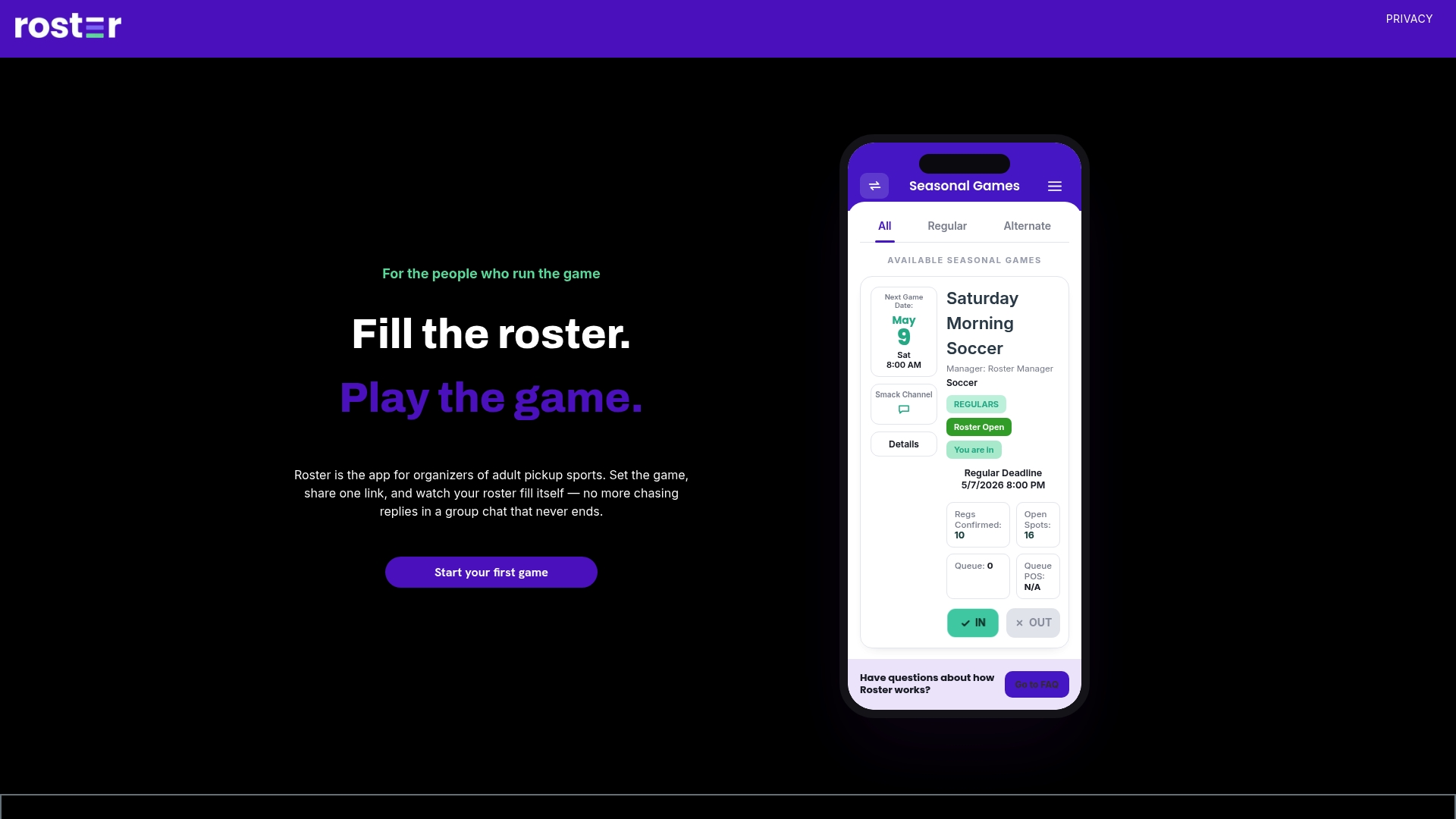
You can see how Roster works or get the app and set up your next game in a few minutes. If you're still planning where to play, our 7-day playbook for finding soccer field time and filling rosters is a good place to start. For a broader plan covering announcements, schedule changes and templates, see the one-page communication checklist for coaches.
FAQ
How many reminders should I send before a game?
Three is a solid default: about a week out, a few days before, and the morning of the game. Research from a contact-management company suggests reminders beyond three don't add meaningful lift. For a weekly game with the same people, you can often cut it to two.
What time of day should I send a game reminder?
Pick a time when people are likely to look at their phones: mid-morning or early evening works for most groups. If you send by text through a platform, stay within the TCPA's 8:00 a.m. to 9:00 p.m. window in the recipient's local time. Avoid very late nights and early mornings.
Should I message each player personally?
Usually not. In a 2021 study, an extra personal text did not statistically raise attendance over an automated reminder. Save personal messages for players who matter to the roster that night, such as a goalkeeper or the one person who has the key.
What should I do when someone doesn't answer?
Set a checkpoint 48 to 72 hours before the game and tell people that unanswered means the spot opens up. Then offer it to your waitlist or alternates. You stay friendly, and the game still has enough players.
Sources
- Game Day Guide, AYSO Region 13
- NJYS State Cup Team Guide, Spring 2026
- How to Remind a Group Chat About an Event Without Spamming
- Hosting Tips for Recurring Small Group Events
- You don't have to tell me twice: additional text message reminders, States Win
- Call (or Text) Your Girlfriend: personal contact works better than email, States Win
- Messaging Principles and Best Practices, CTIA
- SMS Messaging, Avidon Platform Support